Ability to add embedded tables with multiple columns within card view

Hello,

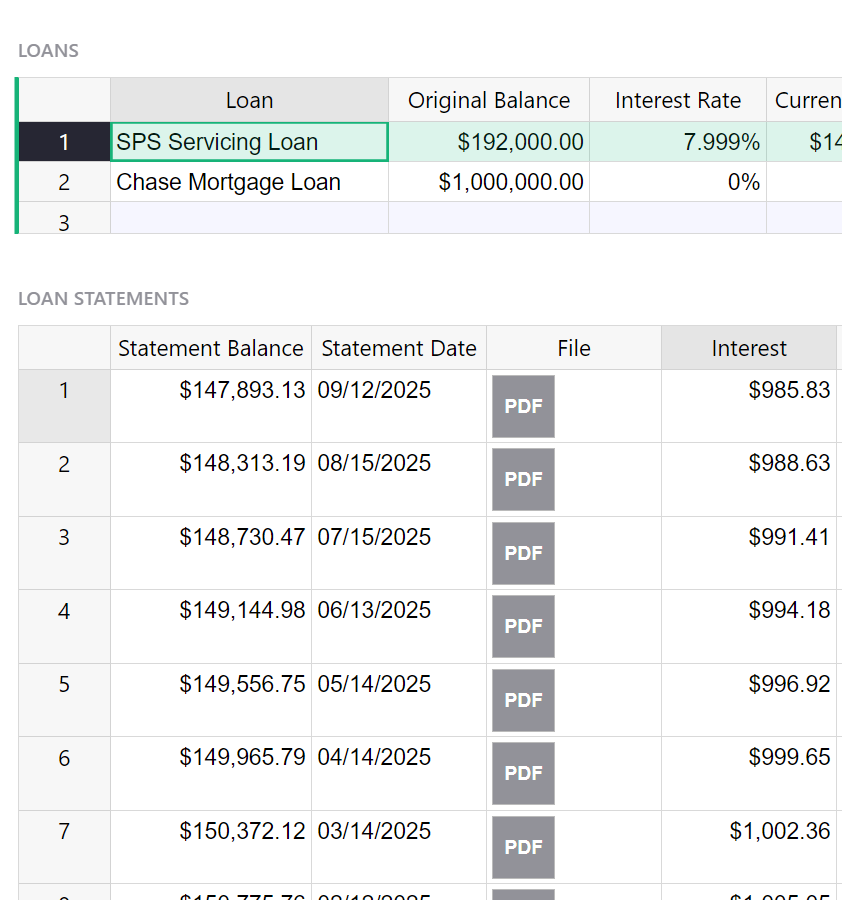
I notice it is possible to add 1 column as a reference list (enclosed in red) within a card but it would be nice to be able show multiple columns (enclosed in green - my mockup). This is very common in other types of database software to be able to show multiple columns in related records. The only thing that comes close to this in Grist as far as I’m aware is have 2 spreadsheets layered on top of each other as shown in the last picture.
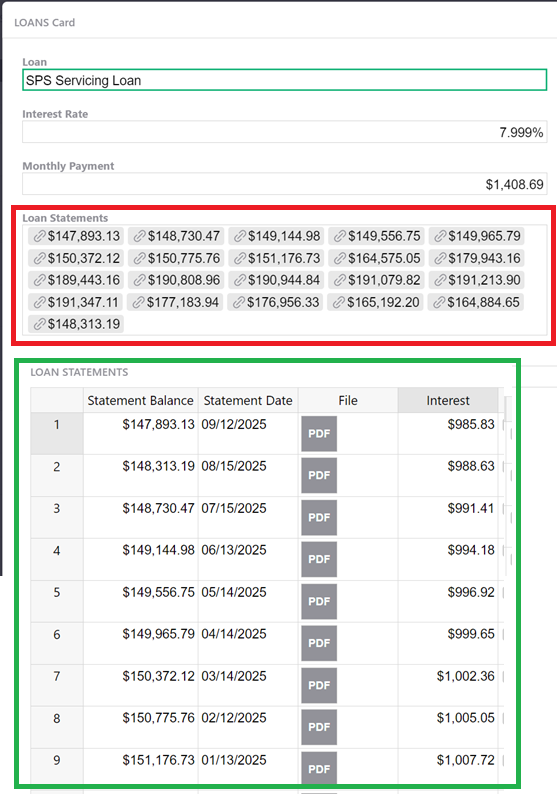
Example of showing related records with multiple columns in spreadsheet view. Would be nice to have this in card view as well.
Thank you
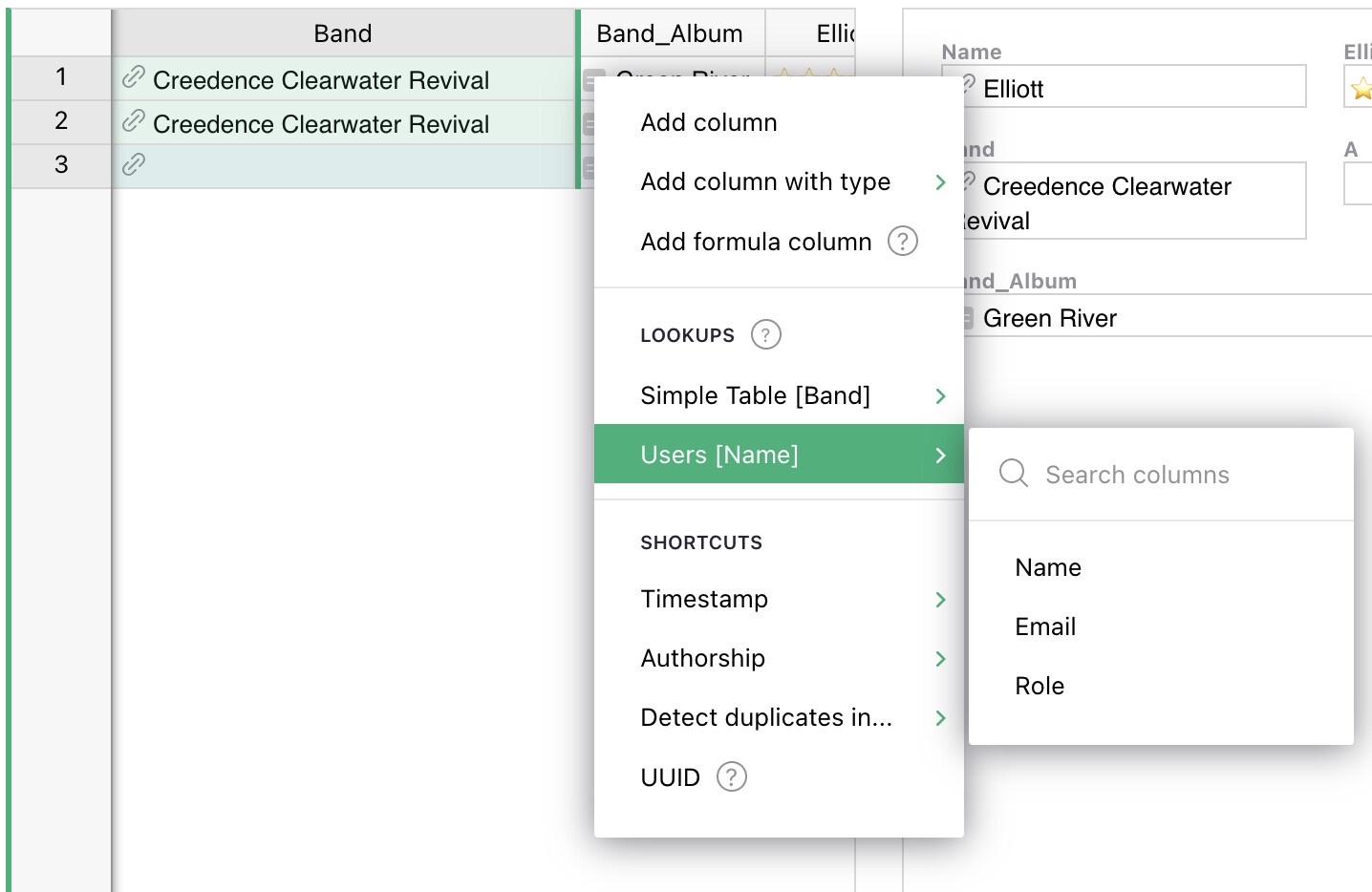
This can be done by adding a lookup column to the table.
Within the table that the card is showing data (LOANS), add a column with the formula $Loan_Statements.[column you want from the loan statements table]. Then add this column to the card.
If you’d prefer to click instead of write a formula, insert a column, when the menu shows up, find the table in the lookup section and choose the column you want to add (see screencapture)

I don’t think I understand. Are the related records shown within the selected card?