For some time, there was only one thing I was missing in Grist compared to a “real” database: the ability to compute the (cartesian) product of 2 tables.
This can seem rather complex for someone who never used databases, but it’s a very simple and fundamental concept. If you have a column A from some table, and a column B from another table, how do you create automatically the table of all possible combinations ? We usually note this table AxB
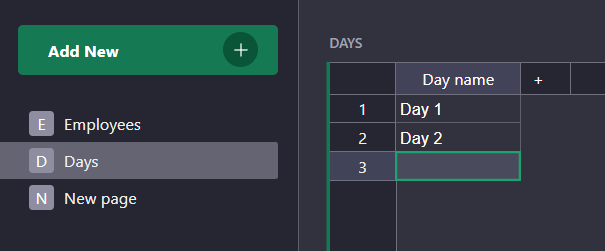
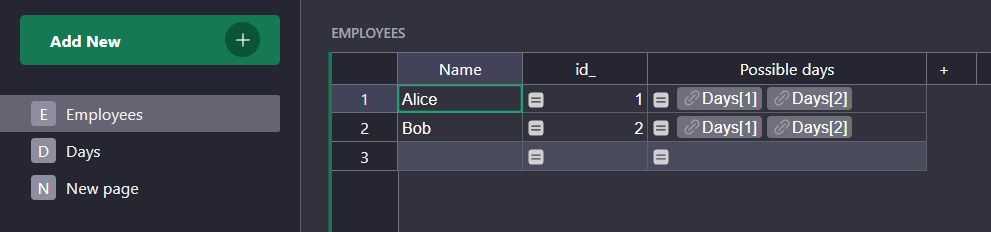
Let’s take a practical example. In your company, each employe must give some infomations (like number of hours worked and number of meetings) for each day of the week. In this situation, you have a table “Employes” and a table “Days“. How do you create the table of all combinations, Employes x Days ?
The most straightforward way to do it is to create a new empty table with a column “Employee” which is a reference to the employee table, and a column “Day” which is a reference to the Day table.
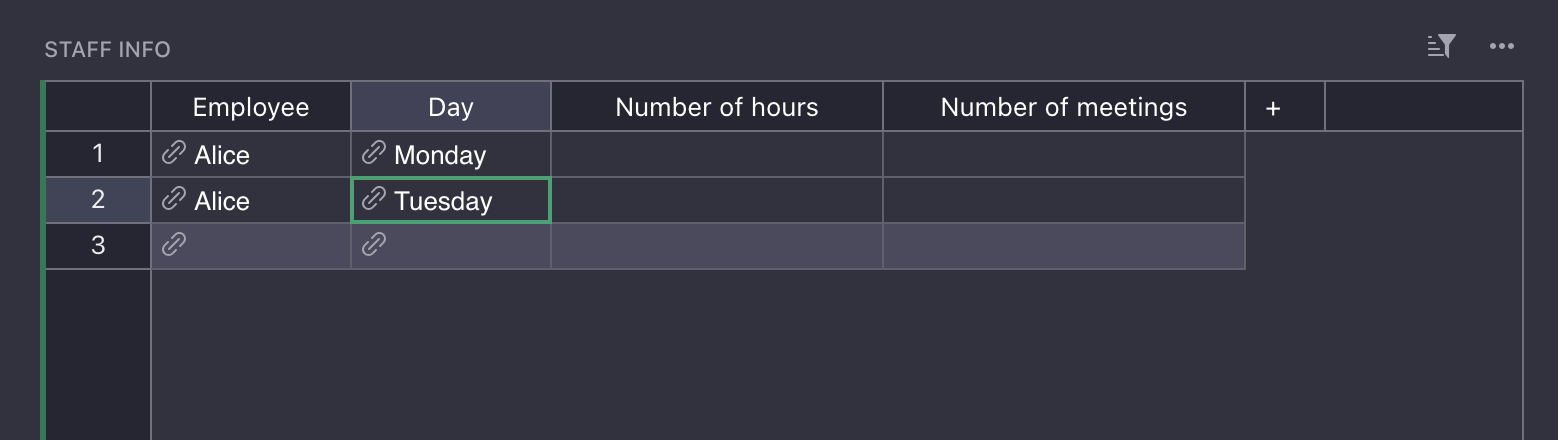
But then, you have to fill all the combinations manually !
What if you add an employee ? Or what if you add a day ?
The first solution I implemented to make sure I have all possible combinations was to use the “action button” widget. In the “Employee” table, you can create a button that will create all dates FOR A SPECIFIC EMPLOYEE. You can open a view with the “action button” widget next to the Employee table, and put this use this code in the Action column:
existing_ = Staff_Info.lookupRecords(Employee=$id).Day
# weird Grist bug — not important
existing = existing_.id if existing_ else []
to_add = [r for r in Days.all if r.id not in existing]
actions = [("AddRecord", "Staff_Info", None, {"Employee": $id, "Day": r.id}) for r in to_add]
return {"actions": actions,
        "button": f"add dates for employee {$Name}",
        "description": f"this will add {len(actions)} days"
}
You get something like this:
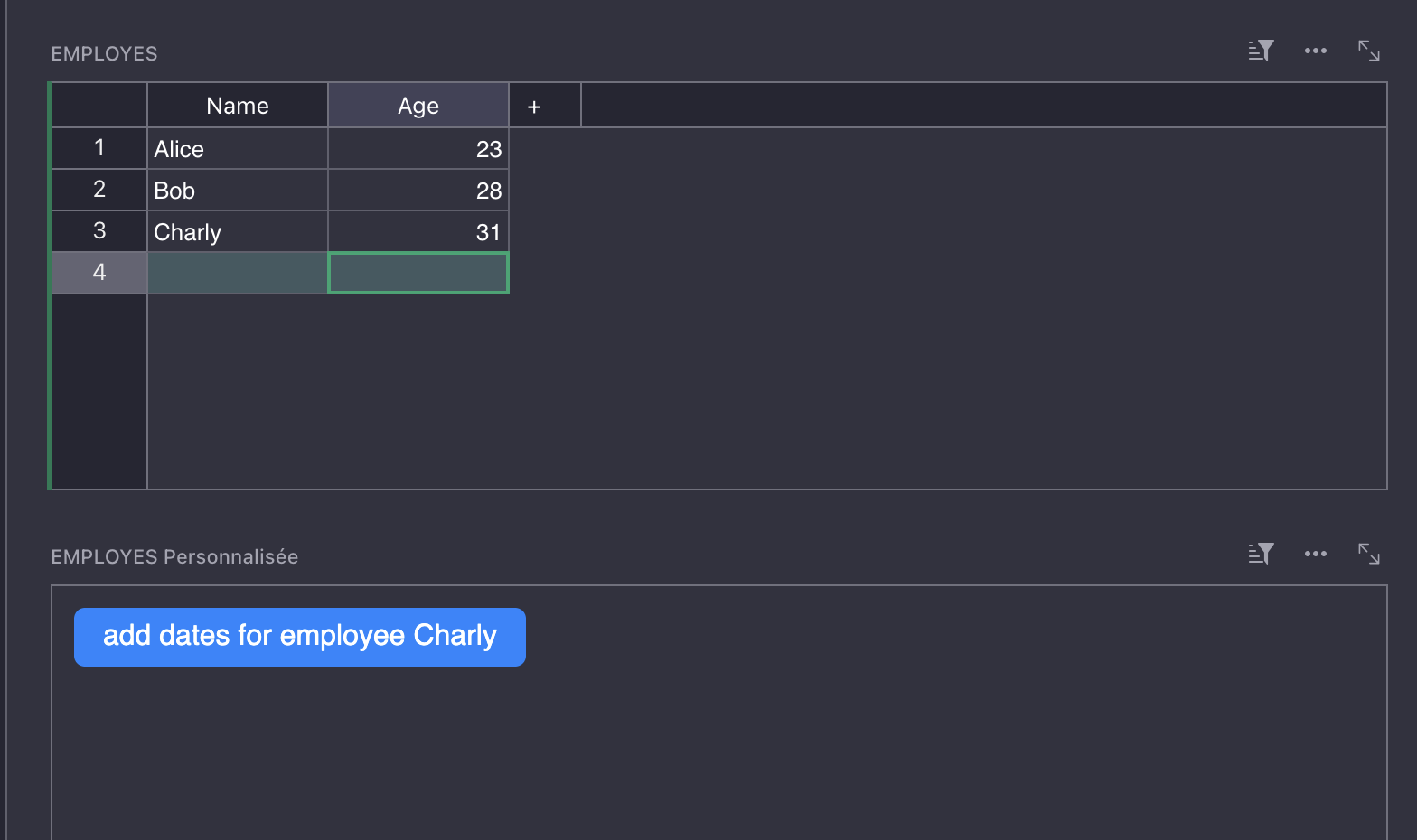
While it is very useful to populate the table automatically, but this is quite cumbersome and not very elegant.
And then, I realized there was a simpler way !
The trick is to use a multiple reference.
- Go to the “Employee” table
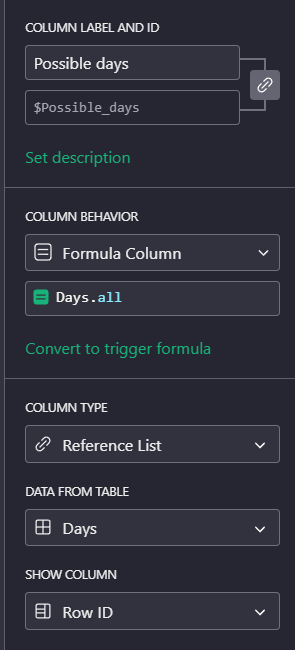
- Add a new “Possible days” column
- use the “Reference list” type
- Use this formula:
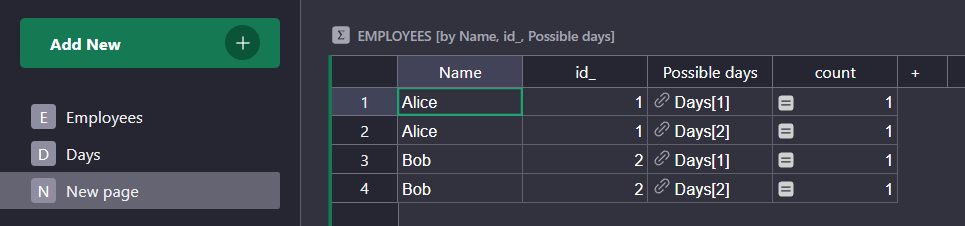
Days.lookupRecords() - Create a new view. Select the “Employee” table and aggregate with “Name” and “Possible_days”
And you get the cartesian product directly:
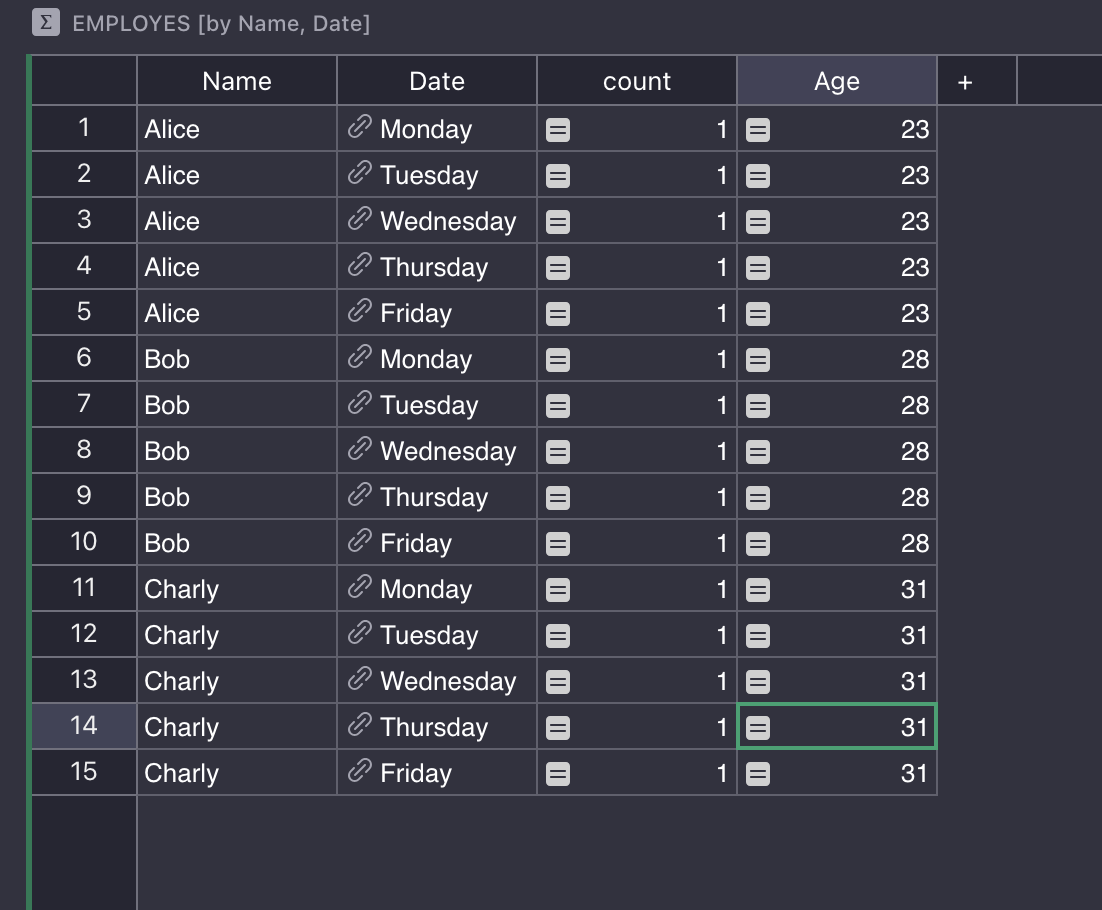
This has a very important limitation: this is a summary table, and for this reason it cannot be edited. You cannot add informations in a column.
That said, you can use this summary table to do all kinds of things: computations, selections, visualisations … The key is to use LookupRecords on the table of the cross product.
technical note
At a more fundamental point, I think this trick shows that Grist is SQL-complete.
If you look at relational algebra, you learn that you only need a few operators in order to construct any database operation:
- Projection (this is done using the summary table)
- Selection (easy to do with auxiliary columns and filters)
- Renaming (same, easy to do with formulas)
- Cartesian products (with the trick I explained)
For example, joining a table with itself can be done in this way. You just have to be smart about the formula you put into the column you will use in your agregation.