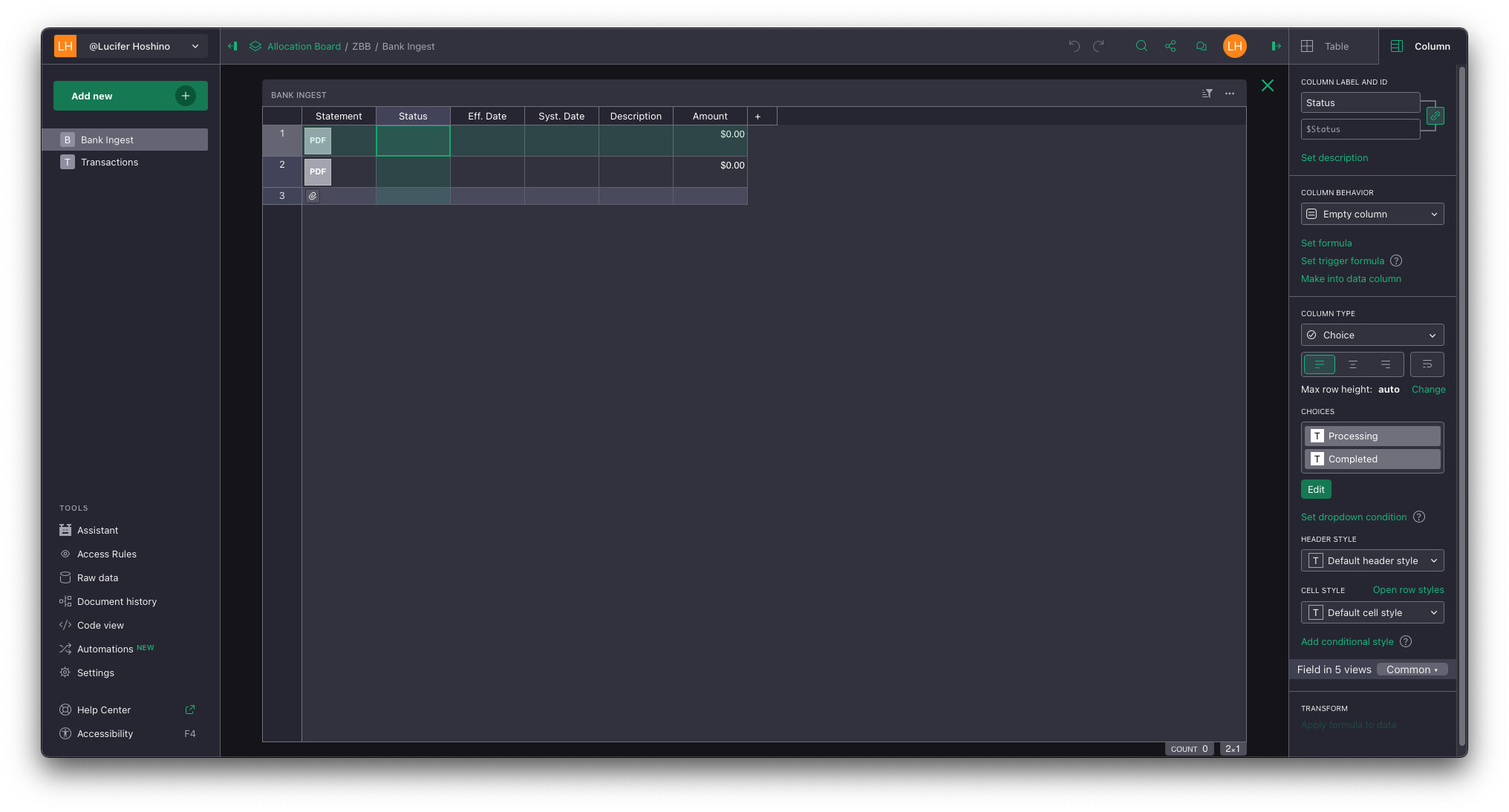
This is a choice column, the choices are defined, but I don’t understand why there’s no dropdown or choices populated in the row[s].
If you double click in a cell with a choice type a drodown menu will appear with the choices. Same if you start typing in that cell. There is however no indication that this is a choice type column (like there is in Forms).
I think this is actually a substantial UI oversight, there are indications in cell if you’re dealing with attachments (paperclip) or references (chain link), but nothing that shows your dealing with a choice (something like a downwards arrow would be very helpful). It seems there was an issue posted about this on git, and it’s marked as sovled but I can’t seem to figure out what happened to the solution. Visually identify that a field is a drop-down list · Issue #491 · gristlabs/grist-core · GitHub
1 Like