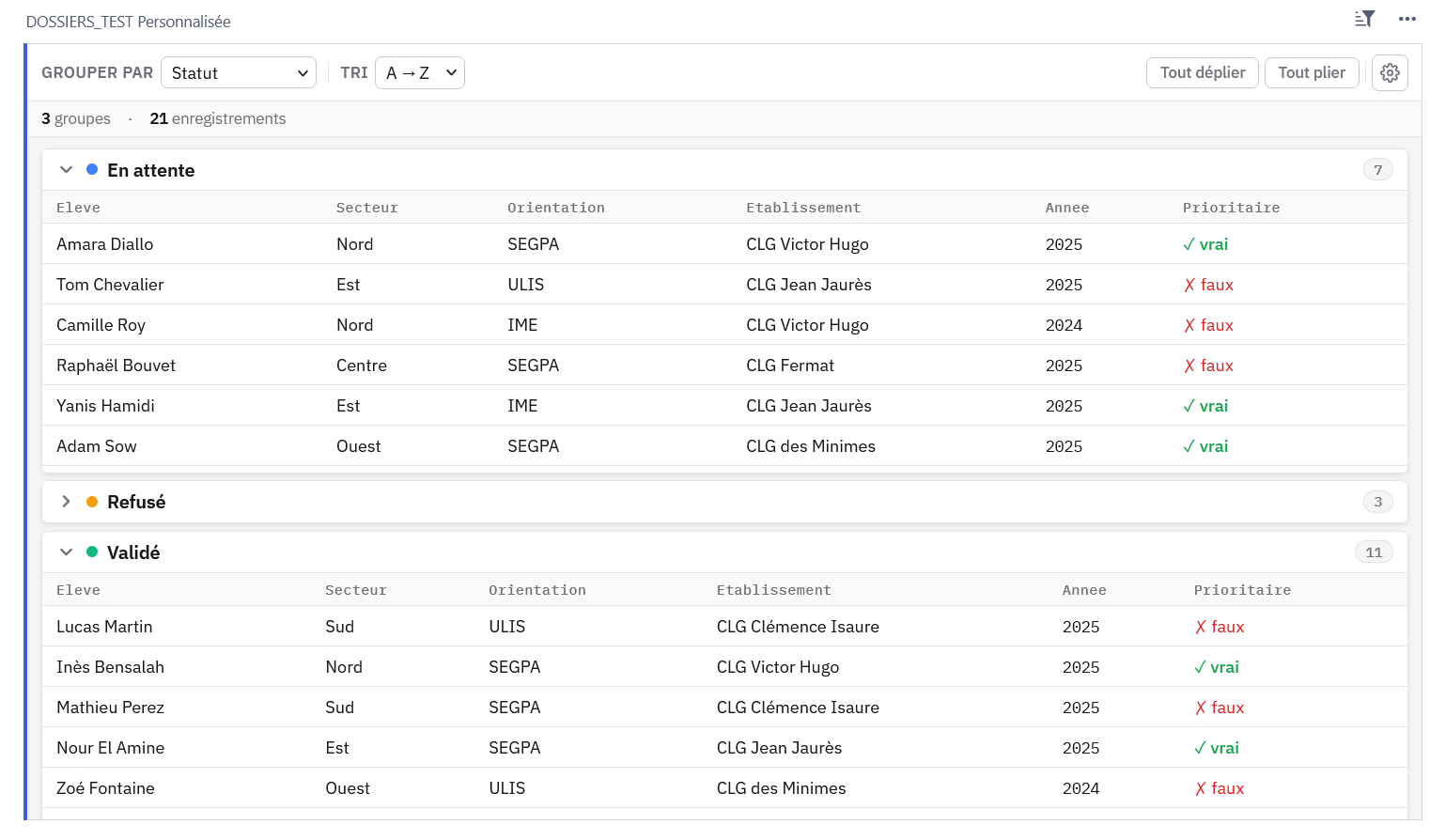
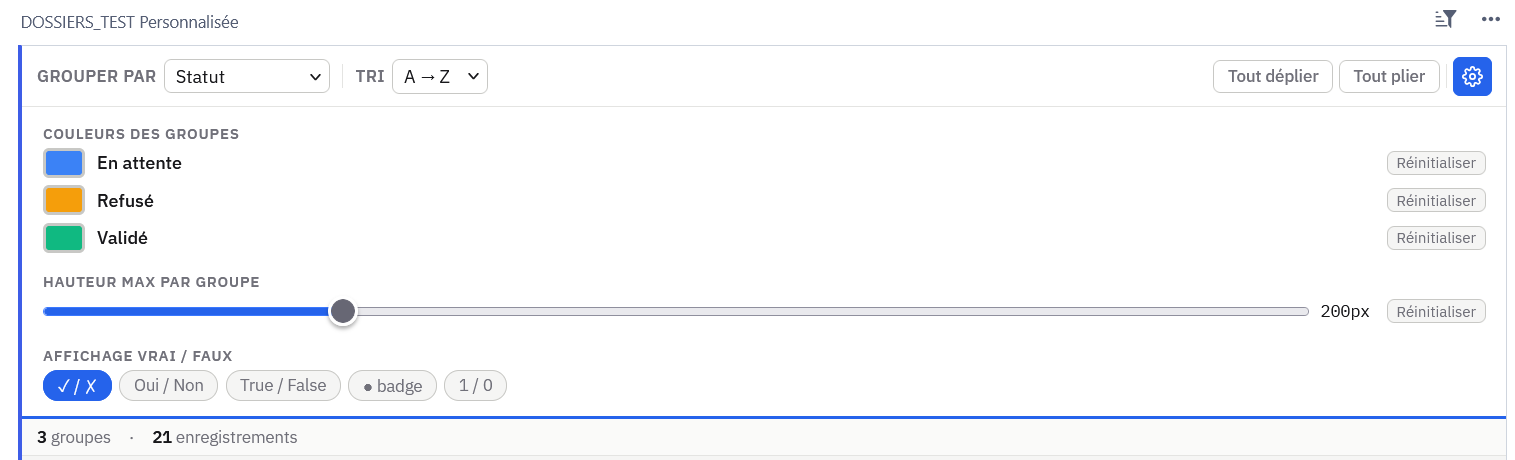
Per-group color picker (persisted via grist.setOption())
Configurable boolean display (✓/✗, Oui/Non, badge…) — shown only when a boolean column is present
Vertical scroll per group with adjustable max height
WCAG 2.1 AA accessibility — keyboard navigation, ARIA, semantic HTML
To use it, add a Custom Widget view, point it to: https://maximelacoste.github.io/grist-widget-grouped-view/widget_groupes.html
then select Read table access.
That is something I´ve been thinking about. The french community is very productive and has developed some nice looking widgets across the board. Unfortunately, they´re mostly not localized.
I could try to translate some of them via GitLocalize (which I have never done before). But how would that work for this widget specifically? Does it recognize my region settings in Grist?
"Good news: the widget can detect the browser language automatically via navigator.language,
without needing any Grist setting. I already use this approach in another widget
(radar chart).
For this grouped view widget, I’ll add EN/FR detection in the next version —
all UI strings (toolbar labels, settings panel, boolean formats, empty state messages)
will switch automatically based on the browser locale.
GitLocalize is a great idea for larger projects, but for a single-file widget like this one,
a simple const i18n = { fr: {...}, en: {...} } object with navigator.language.startsWith('fr')
is enough and keeps everything self-contained.
I’ll update the GitHub repo shortly. If you’d like to contribute translations for other languages
(ES, DE…), a PR with an extra key in the i18n object would be very welcome!"
 Thank you for sharing.
