Sometimes what you need is this:
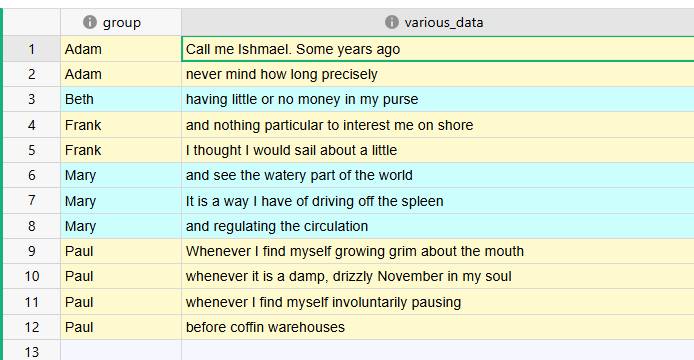
ie, applying a conditional style to a table so that your rows appear to be grouped in bands, according to the values of an arbitrary (sorted) column.
Now, if you are sorting by, say, a numeric column, that’s easy: you just write a condition like $my_column % 2 == 0 to alternate between even and odd values of the column. However, when your target column has arbitrary values (like the names in the “group” column above) this gets a little tricky.
A possible solution is having a hidden formula column, where the formula looks up the previous row value (using PREVIOUS), and outputs “A” or “B” accordingly. Then, in your conditional style settings, you can more easily discriminate on this helper column.
Here is a demo of the thing: band-coloring-test - Grist
What you have to watch:
- the formula in the hidden column “color_helper”
- the global sorting of the table
- the conditional style settings of the table.
I just wonder if this is the best option, or I miss an easier solution…