Hi everyone,
Sharing a custom widget I built to display multiple long text fields from a selected record in a compact tabbed interface.
Typical use case: tables with multiple comments, specialist opinions, or structured notes — anything that’s painful to read in a standard card view.
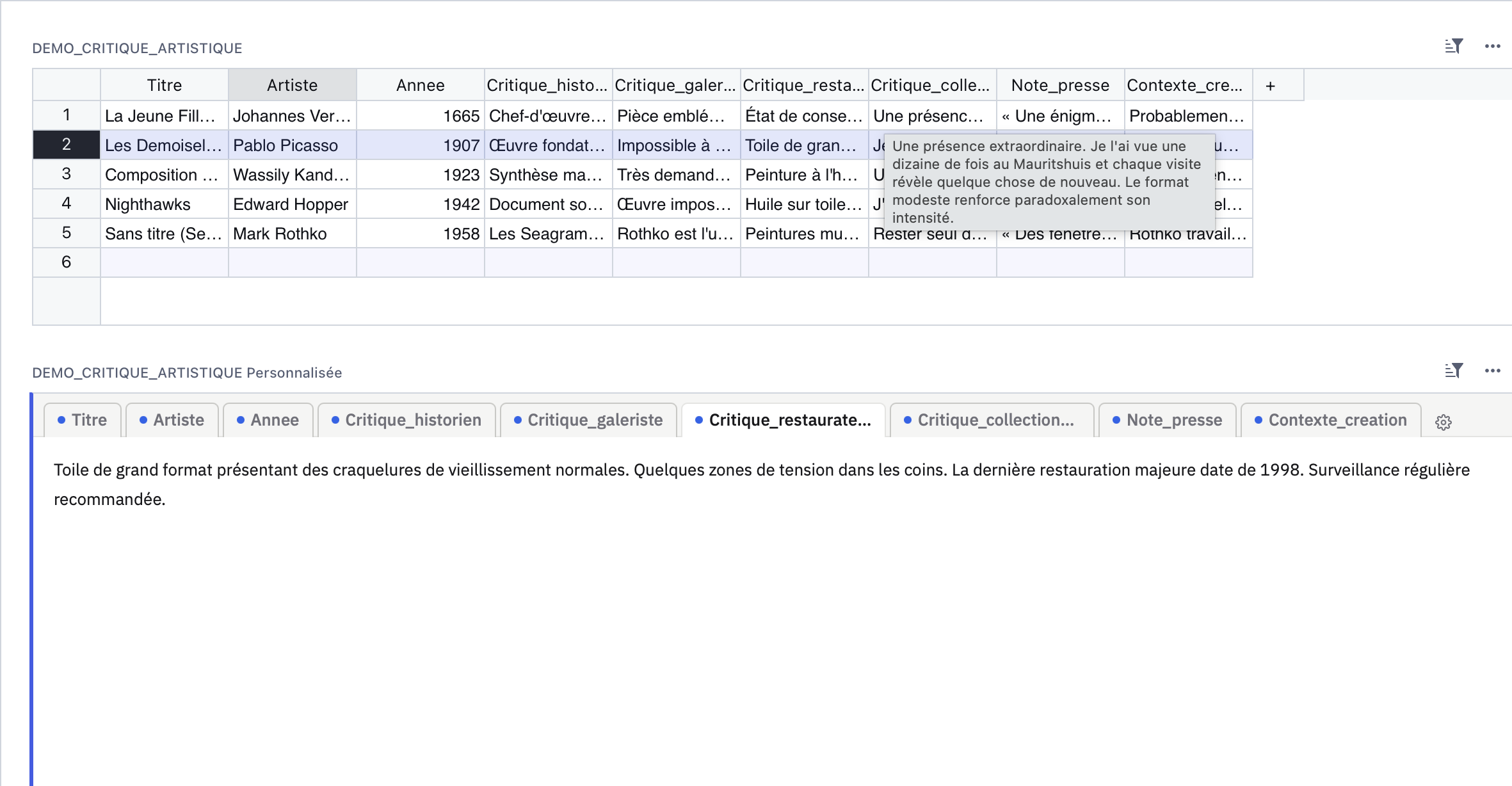
What it does
- Dynamic tabs — auto-detects columns from the record, no code configuration needed
- Hover tooltips — auto-populated from native Grist column descriptions (column panel → Description field)
- Synchronized renaming — double-click a tab to rename it inline: updates both the widget label and the Grist column label simultaneously
- Lock mode
 — hides settings for read-only users; editors keep access via ⋯ → Widget options
 - localStorage persistence — no Grist “Save layout” bar triggered on config changes
- Excluded columns, drag-and-drop reordering, title column picker
Links
 Widget URL (GitHub Pages): Multifield Viewer — Grist widget
 GitHub repo: GitHub - maximelacoste/grist-widget-multifield-viewer: Grist custom widget — multi-field text viewer with tabs, accordion list and grid modes, configurable labels. · Visionneur de champs texte avec onglets, liste accordéon et grille, libellés personnalisables. · GitHub
 README: grist-widget-multifield-viewer/README.md at main · maximelacoste/grist-widget-multifield-viewer · GitHub
 Demo table (CSV): grist-widget-multifield-viewer/demo_critique_artistique.csv at main · maximelacoste/grist-widget-multifield-viewer · GitHub
Quick setup
- Add a view → Custom Widget
- Paste the URL above
- Access level: Full (required for column renaming)
- Link to your table via “Data from”
Notes
- The widget reads
_grist_Tables_columnto fetch native column descriptions automatically - Column renaming uses
applyUserActions→UpdateRecordon_grist_Tables_column(label field only —colIdis never changed, so formulas and references are safe) - Config is stored in
localStoragewith a key scoped totableId, so multiple instances on different tables don’t interfere
Other widgets from the same author
- grist-widget-radars — radar / spider charts
- grist-widget-grouped-view — collapsible grouped view
Feedback and issues welcome on GitHub!