Custom widget to visualize records with references in a vis-network dynamic graph

Hi all,

I worked on custom widget for a personal project of mine, thought it could be of interest for others.

I put the code here:

And a dumb example there: https://docs.getgrist.com/u5UZbdDZCXKY/Restaurant-Inventory-w-graph?utm_id=share-doc

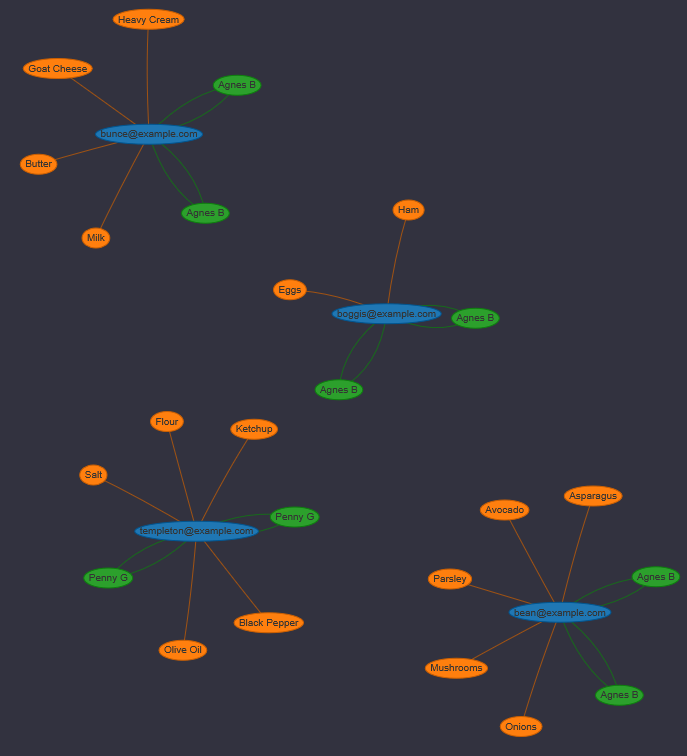
It creates a graph from linked nodes. For now it works with a three column table: the first column contains names of tables. Each record in those tables becomes a node in the graph. The second column refers to a text column in the table that will serve as labels for the nodes. The third column is for a reference column. It is used to create the edges in the graph.

Use the dropdown menus to add nodes and refs, and click “update graph” to see the created graph.
2 Likes

Access denied! Would love to take a look at the example.

Sorry, wasn’t sure how to make this fully public. You can’t access with getgrist account ?

You just have to enable public access.

Ok, I thought I did this. It seems to work now.

The graph example is in the Graph_Table view. Click on Update graph and you should get this:

That works! You have to click “save” after turning on public access, which trips up many. Thank you for sharing.

1 Like