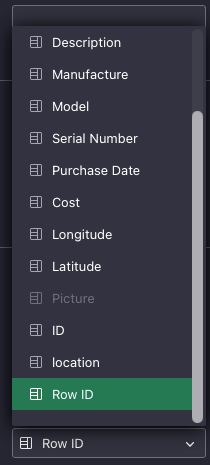
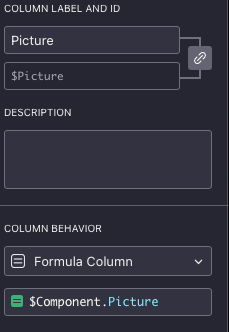
Or when using a formula as seen below, shows the preview of the image

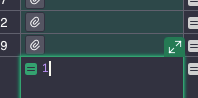
but when double-clicking the image to show it the result is the number 1 in the cel.
Any help will be appreciated in getting the image to be viewed.
Or when using a formula as seen below, shows the preview of the image
but when double-clicking the image to show it the result is the number 1 in the cel.
Any help will be appreciated in getting the image to be viewed.
That last approach should work (formula like $Component.Picture, plus setting the column’s type to Attachments). It shows a preview in the same way as a regular Attachments column. The fact that you can’t expand an attachment, however, seems to be a bug. I filed it with the dev team.
Thank you @dmitry-grist, I had observed and documented the same behavior on the French forum: Colonne formule de type pièce-jointe - Demandes d'aide - le forum Grist
Which also gives you a workaround: create a formula and a column type as described by @dmitry-grist (with the bug), and create another column that refers to this column with a trigger formula. Since a trigger formula generates a “data column” rather than a “formula column“, the bug is not present.