Hello everybody,
I’ve searched a lot in the forum and I found some solutions for several problems, but for this one I am getting crazy and I didn’t found any solution.
I published an example, I hope it is clearer than my english…
This is the situation, I have three tables, People, Places and Assets. While People and Places are just lists for my dropdowns, Assets table is where the real work is done.
The problem is in the column “To”.
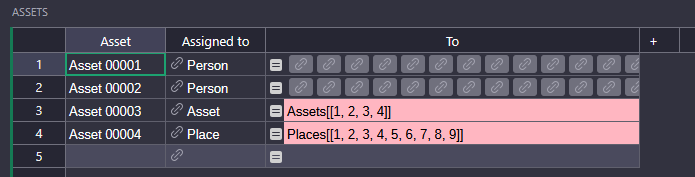
I want to load a dropdown based on the value of the column “Assigned to”. As you can see “Assigne to” is a Reference, and in the column “To” this is the formula I used:
This may require a bit of a workaround. Formula columns can’t display a dropdown for the simple reason that they don’t accept any input (the formula populates the cells, not the user). But you could try this:
Have a formula column like the one you’ve already come up with. It produces a list of records that should be valid choices for your dropdown. This column is a mere helper and can be hidden from users. To that end, maybe rename it accordingly to something like ‘valid_choices’.
Create a separate column of type reference or reference list and set a dropdown condition on it: choice.id in rec.valid_choices. This should make the dropdown menu show only those records whose id is in the list of valid choices that your formula column generates.
Sadly the solution (if I applied it in the right way…) does not work.
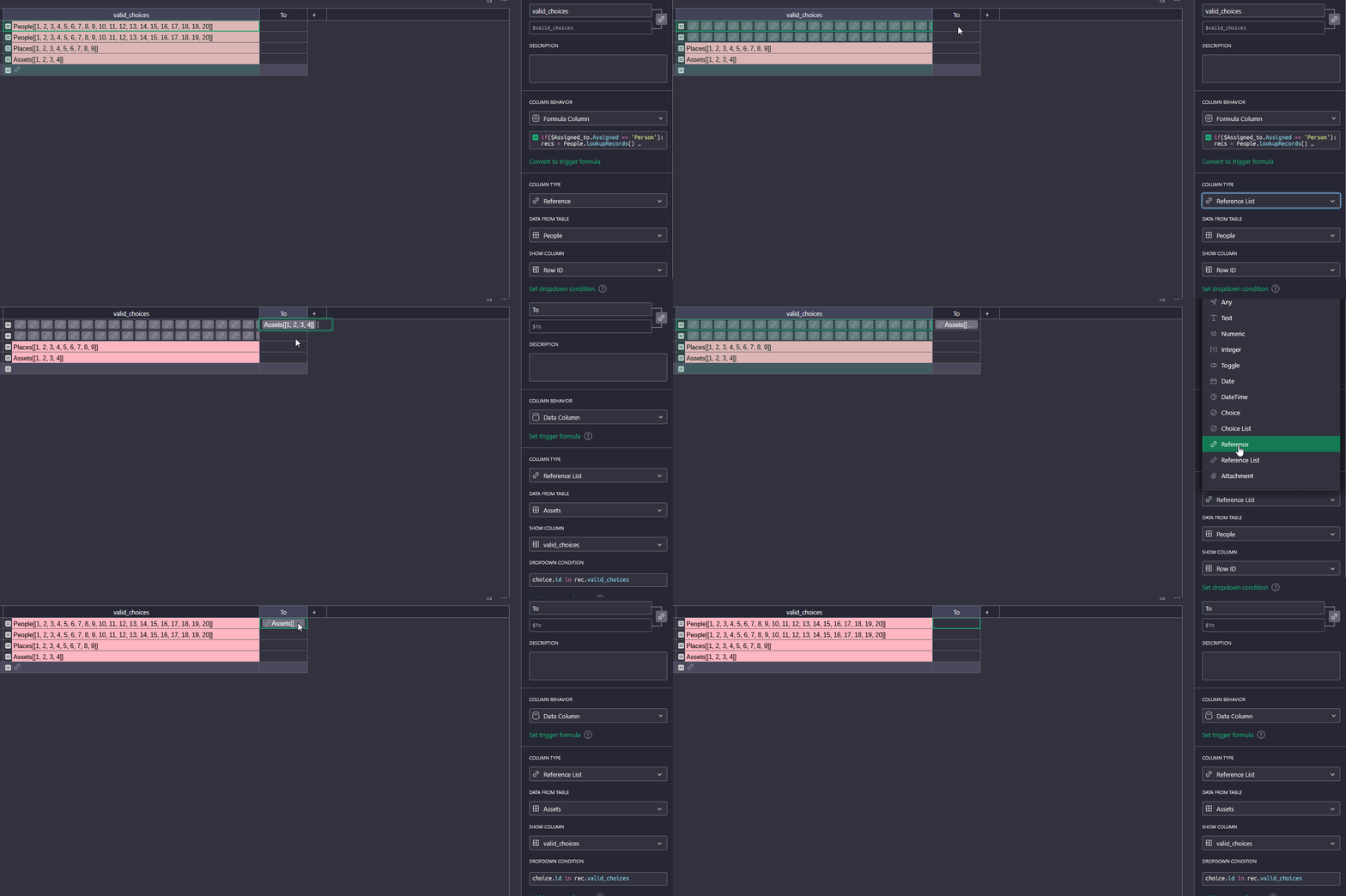
Before continue, I would like to know why the result of the column valid_choices changes in a strange way.
I set valid_choices as Reference List and if Assigned to is Person then it loads all the rows from People table correctly (even if I neither know if that is the expected way data should be shown ), but in Place and Asset cases it loads the ids and the cell is red.
There seems to be a slight misunderstanding here. You see, when you set a column to type ‘reference’ or ‘reference list’, you’re effectively telling Grist that this column will hold references to one specific table. It can’t hold references to multiple tables, such as all of People, Places, and Assets, all at once. This is why, when you set your valid_choices column to be a reflist pointing to the People table, all entries that point to the Places or Assets tables show up in red.
Unfortunately this doesn’t just concern they way things get displayed. It’s also impossible to have any kind of dropdown with options that are sourced from different tables.
This means you’ll have to create some kind of join table that represents all possible choices from the People, Places, and Assets tables. For example, you could create a new table Assignment with these columns:
Person - reference column pointing to table People, column Name
Place- reference column pointing to table Places, column Place
Asset - reference column pointing to table Assets, column Asset
Kind - reference column pointing to table Assigned to, column Assigned
Then, in your Assets table’s To column (whose type you can just set to “Any”), use a formula like this:
And for your actual dropdown column, set the column type to be a reference to the Assignment table, and set this dropdown condition:
choice.id in rec.To
This way, you can define different types of assignment - to a person, a place, an asset - using the Assignment table, then use a dropdown to choose from that.
I feel a little bit dumb…
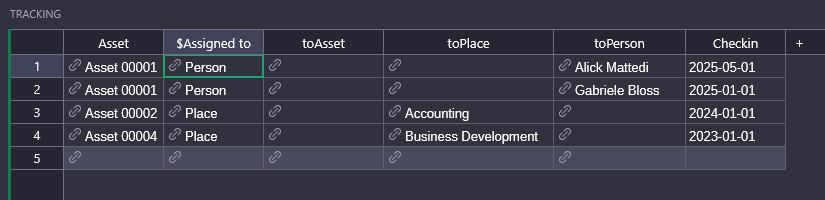
No way to achieve what you suggested… in the meanwhile I changed a little the approach: I made a new table called Tracking, is in that table that I will manually fill data.




 ), but in