Hello.
I can’t create a formula according to the instructions in the documentation. If anyone is willing to help, I can provide access to my database. I’m also willing to donate a little for beer. Just in case, I’d like to point out that the data in the table is in Cyrillic.
Hello! Formulas for filtering dropdowns are unfortunately a bit hard to use, and hard to diagnose when it doesn’t work.
Could you perhaps share here a screenshot of the formula – including column name and type, and some information about what you are trying to do and what’s not working?
Hello
I need a formula to filter only contacts related to a contractor.
I have granted access to the workspace.
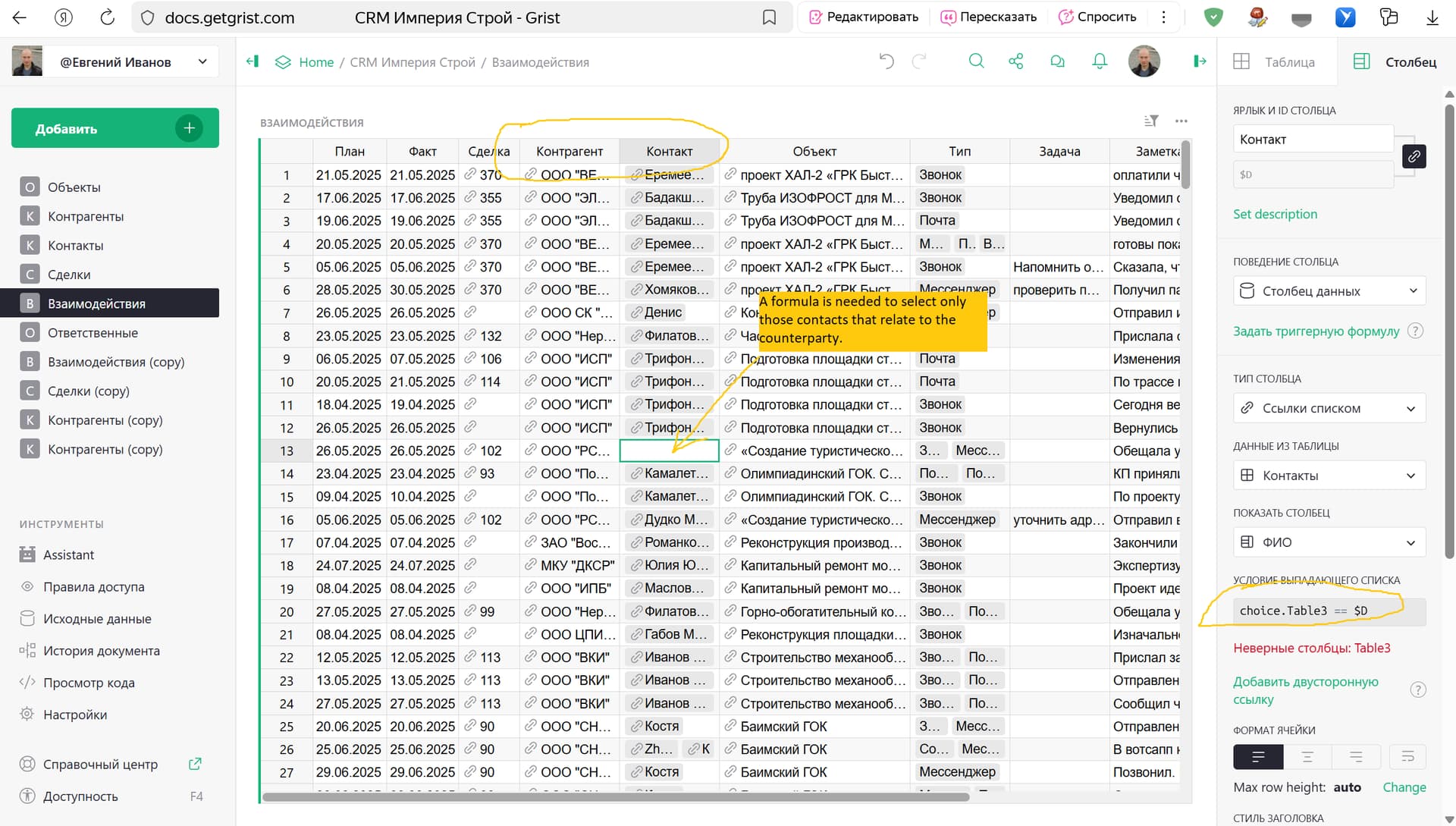
With the Cyrillic column labels, it’s hard to guess the corresponding column IDs. So let me construct an example that’s easier to follow, and hopefully it’s close enough to your use case to tell you what to do.
I’ll use this page of the “Accounts-based Sales Team” template:
I modified it to add a card for the Company linked from the selected record, and a table of contacts at that company:
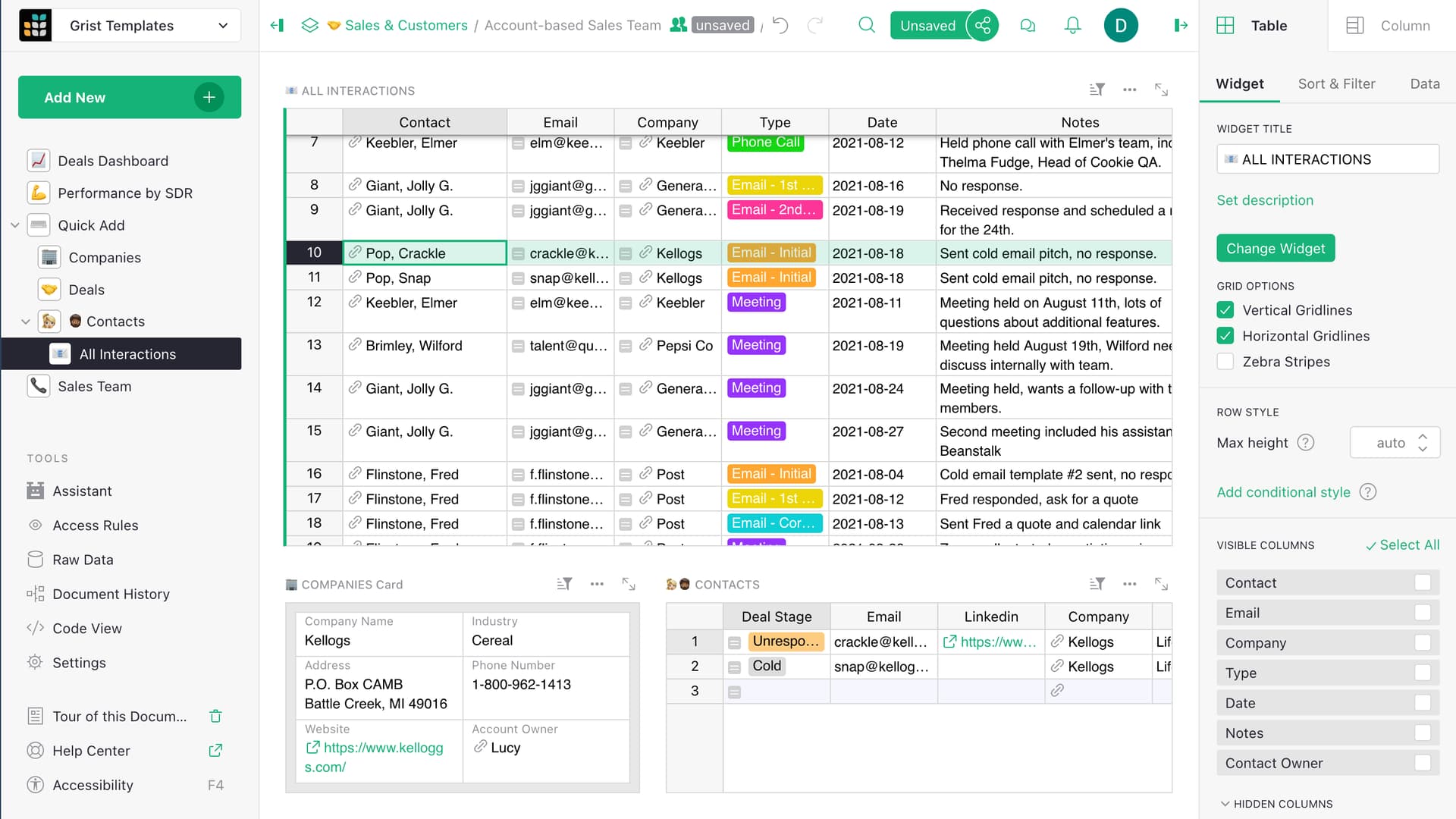
Our goal is to make the dropdown for “Contacts” show only the contacts at the Company, like so:
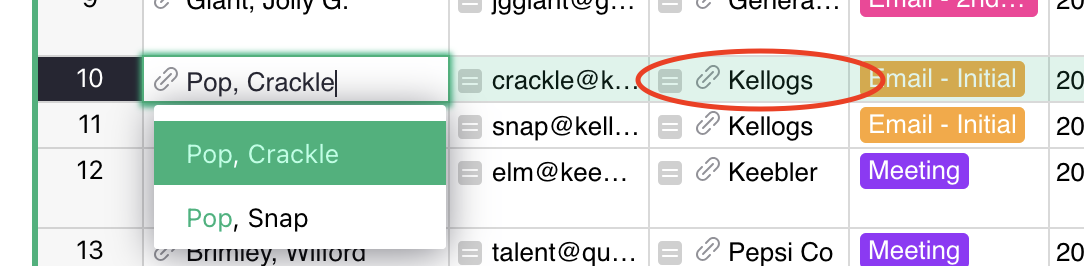
The structure of the dropdown formula is this:
choice.Company == $Company2
Let’s break this apart:
choicerefers to the possible records from the “Contacts” table that we are choosing to show or not in the dropdown (because this is a Reference column to the “Contacts” table).Companyrefers to a field in the “Contacts” table. We are selecting contacts with a particular value in that field.$Company2refers to a field in the current table (“All Interactions”). It is the column ID of the 3rd column labeled “Company” (the one circled in red in the last screenshot). It says which value we are filtering out for.
That’s essentially it. For an example like this, I would extend the dropdown formula to the following:
choice.Company == $Company2 or not $Company2
This way when $Company2 is blank (e.g. when adding a new record), it would show all possible records in the dropdown rather than none.
A document with my changes is here: Account-based Sales Team - Grist. Save it as your own copy if you’d like to try editing it.
Hello.
I tested the formula in your “Accounts-based Sales Team” template, and it works perfectly.
Your support team also suggested a custom formula for my spreadsheet, and it works perfectly too. I haven’t figured out the syntax yet, but I’ll add it here just in case.
$Kontragent in choice.Kontragenti or not $Kontragent
Thanks for your help.