I’m building an invoicing summary page for my forestry consulting business and am running into a limitation with summary tables and widget linking.
Current setup:
-
I have a Projects table displayed as a widget on the invoicing page, which I use to select the project I’m invoicing.
-
I’ve successfully linked other widgets (e.g., Timber Sales) to this Projects widget, and they dynamically update as expected when a different project is selected.
-
I also have a Paint Use table with one row per tank of paint used. It includes:
-
Project (reference)
-
Paint color
-
Tank starting weight
-
Tank ending weight
-
A calculated column that converts weight difference into paint used (quarts)
-

What I want to do:
For invoicing, I want to show a summary of paint use by color for the selected project (i.e., total quarts per color).
What I’ve tried:
-
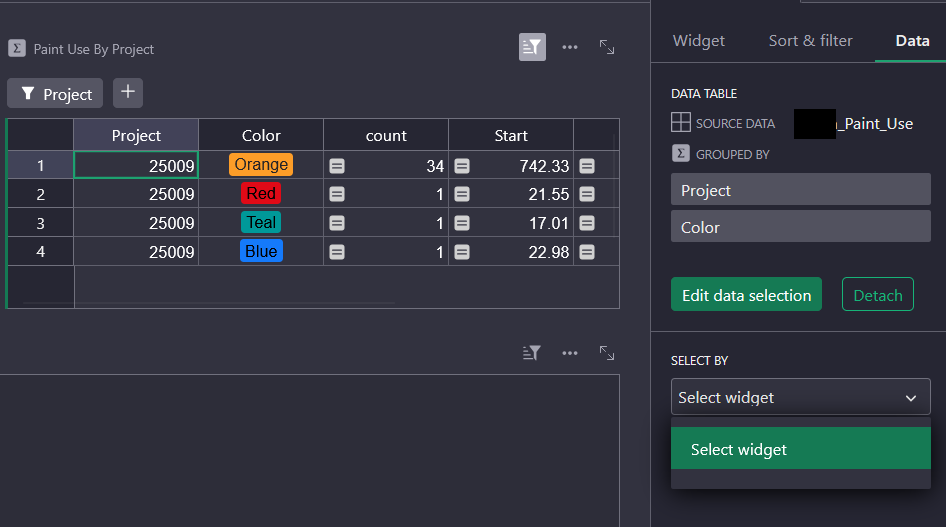
I created a summary table from Paint Use, grouped by Project + Color, with
SUM(Quarts). -
This summary table shows exactly the data I want.
-
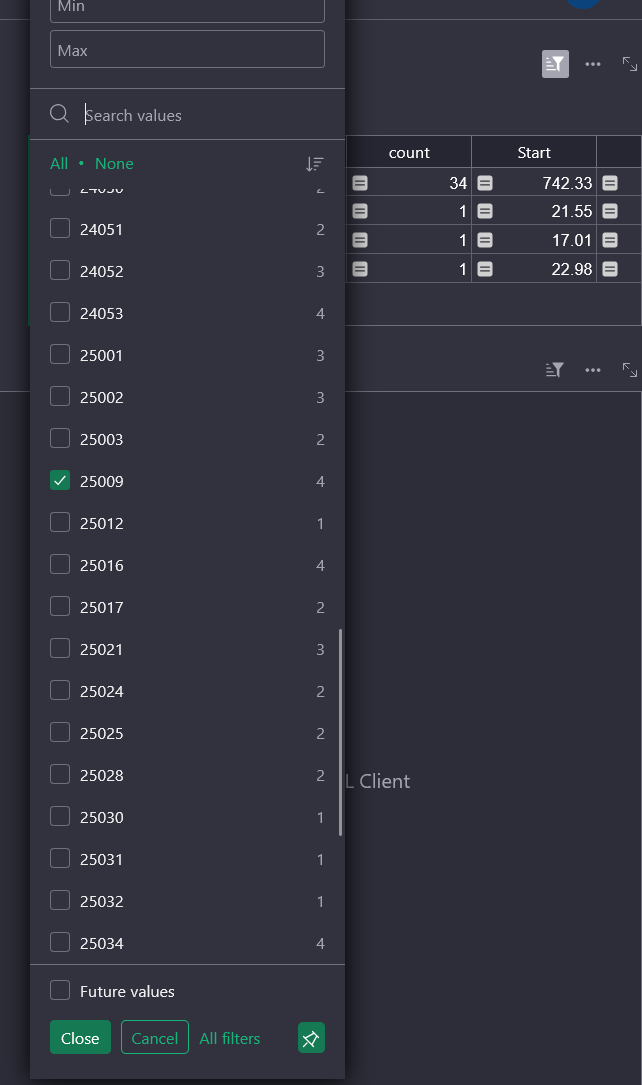
However, the summary table does not dynamically update when I select a different project in the Projects widget as shown in the first screenshot.
-
The only way I’ve been able to make it work is by manually setting a filter on the summary table, which is tedious and defeats the purpose of a dynamic invoicing page.
The problem:
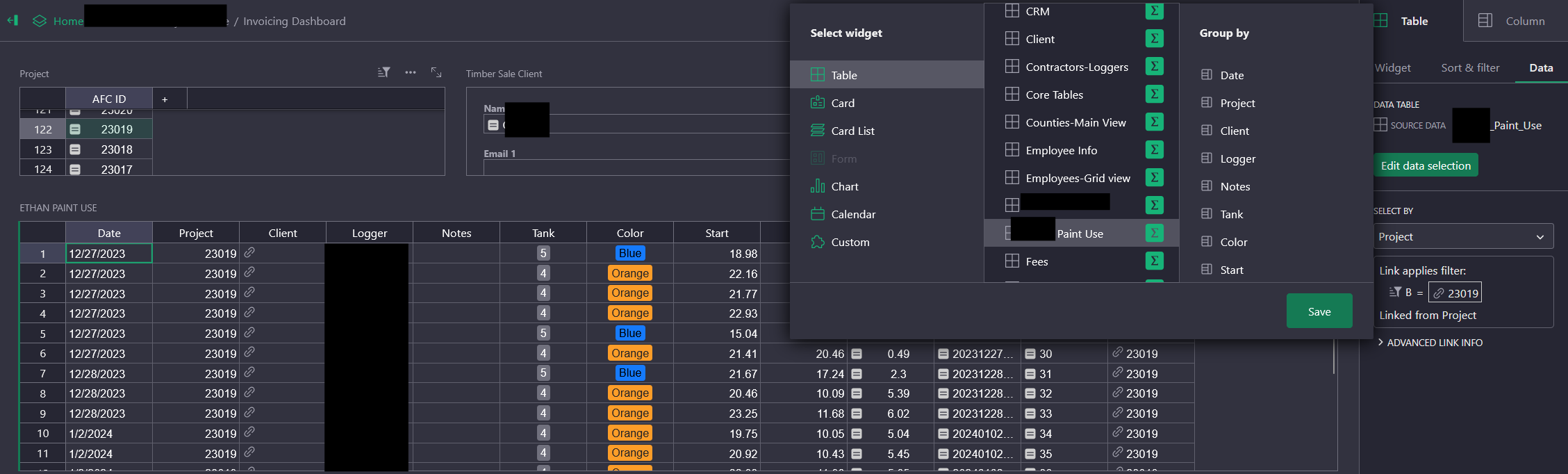
- I can dynamically link the base Paint Use table to the Projects widget. But this gives me no useful information regarding the overall quantity of paint used.
- But I have not been able to get a grouped summary table (Project × Color) to dynamically react to the selected Project. I am unable to utilize the Select By feature for any widget for the grouped summary table.
Question:
Is there a supported way in Grist to have a summary table (grouped by multiple columns) dynamically filter based on a selected parent widget (Projects)?
Or is this a current limitation, with the intended workaround being a manually maintained “materialized” rollup table instead of a summary table?
I’d appreciate confirmation either way, or guidance on the recommended pattern for this kind of invoicing dashboard.