Hi,
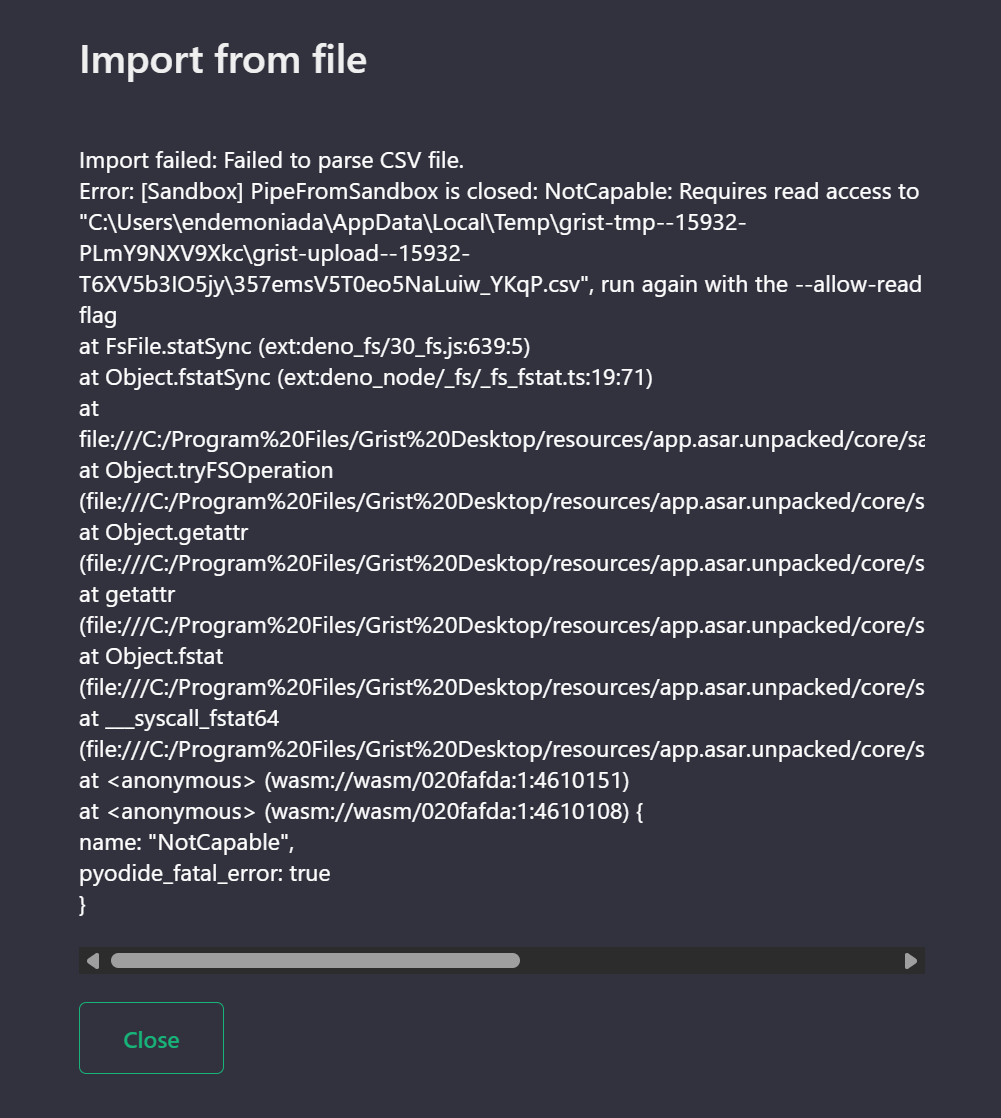
I get this error message when trying to import a csv file into the Windows desktop app. Can anyone help?
Hi @endemoniada, could you do me a favor and do a quick check? In a command prompt, can you do echo %TEMP% and report what it says? I’m afraid windows might be making your temp directory both “C:\Users\endemoniada” and “C:\Users\ENDEMO~1” or something in different contexts, and Grist is confused. But, just a theory.
Since you are importing a csv file, it would be safe to turn off sandboxing, so you could run Grist as follows:
set GRIST_PYODIDE_SKIP_DENO=1
"C:\Program Files\Grist Desktop\Grist Desktop.exe"
That will skip the careful protection that is failing. Do not open or use untrusted documents if you run Grist this way. Once you’ve done the import, close Grist again and reopen it normally.
Many thanks for getting back to me. Following your instructions, this time the import started but seems to be stuck. I’ve attached the output from the command prompt.
CWINDOWSsystem32cmd.exe.txt (931.6 KB)
I got it working, so please ignore my last message. Thanks for your help.
Glad you got it working. There’s a fix for the probable underlying problem coming Canonicalize tmp dirs handed to the pyodide sandbox by paulfitz · Pull Request #2527 · gristlabs/grist-core · GitHub