Hey, I am sure it has a simple solution which I couldn’t find. I used grist a year ago I kind of forget how things work.
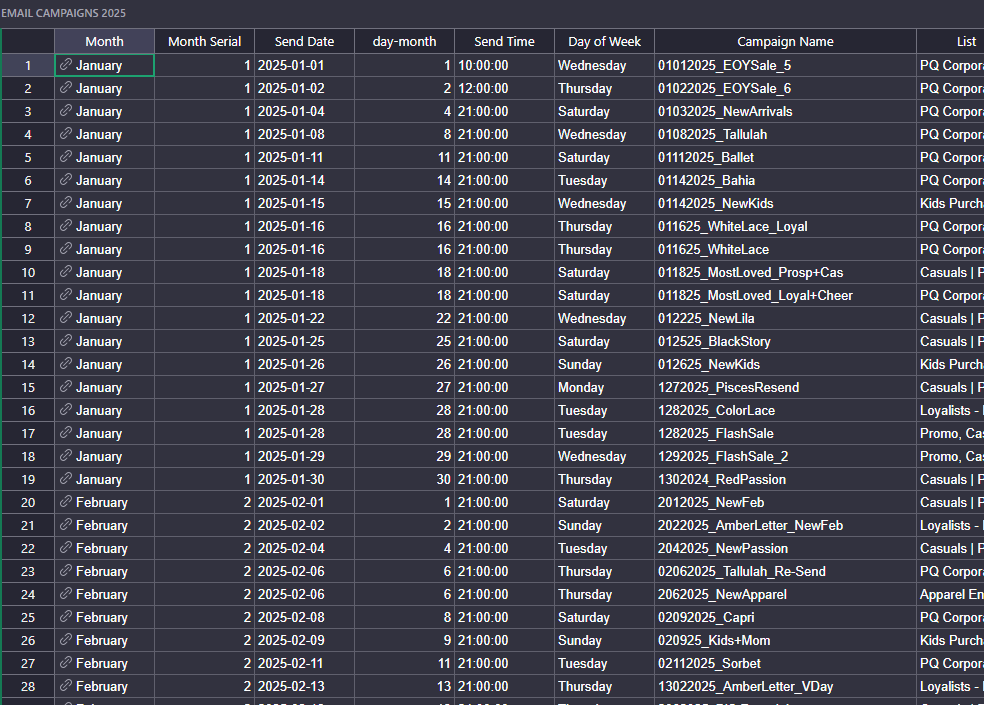
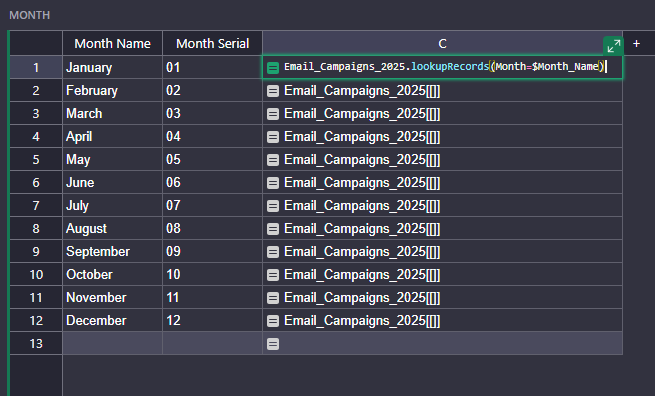
I have two table. One is original Month Name table and another with email campaign data. I referenced email campaign send month with the month Table. Now In the month table I want to get email campaigns revenue sum that matched the month. I used this formula =sum(Email_Campaigns_2025.lookupRecords(Month=$Month_Name))
Sorry typing mistake. the sum didn’t work, then I tried the without the sum but =(Email_Campaigns_2025.lookupRecords(Month=$Month_Name)) this also didn’t bring the result.
$Month in your Email_Campaigns_2025 Table is a reference.
Can you try :
=sum(Email_Campaigns_2025.lookupRecords(Month=$Id).NAME_OF_YOUR_NUMERIC_COLUMN_TO_SUM)