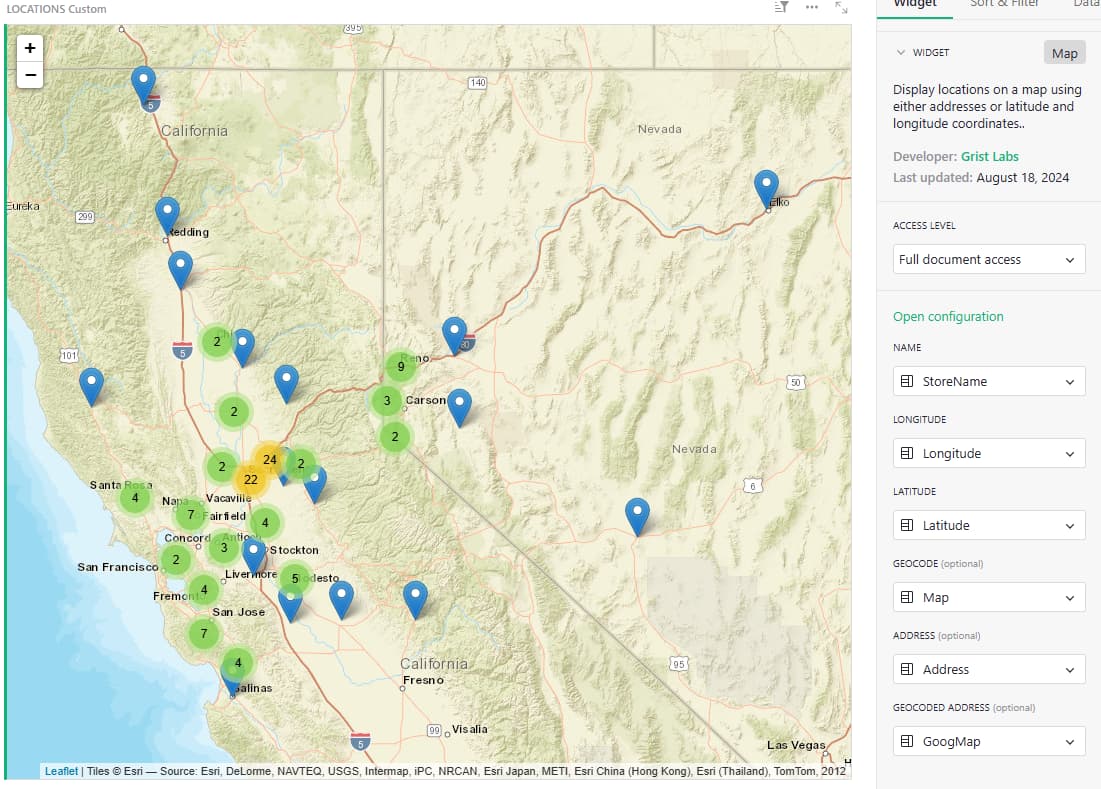
I’ve recently discovered the map widgit (AMAZING!), and have found it very helpful for plotting routes for our service company. It was easy to set up using the addresses already existing in our Locations table. I simply added 3 new columns: Geocode (toggle), Longitude (number) & Latitude (number). As I turn on ‘Geocode’, it uses the address to plot the location on the map and the Lat/Long are automatically updated. Like magic (for 90% - some didn’t work and I had to manually find/enter Lat/Long).
There was an unfortunate consequence, however, that I’m hoping someone can help me figure out. I have a column for Google Map links for each location that our techs use for easy navigation. When I toggle Geocode On, that link is removed and replaced with only the address (even though the link is not formatted to include the address). It removed every link! Luckily, I had a database backup that I could pull that information back in (not an easy task with nearly 200 locations!)
My thinking was that it had something to do with writing the Lat/Long into the table, but after recreating the links, clicking on Geocode once again removes the link and replaces it with the address. I’d like to know what is causing this and warn others of this occurrence. I’m going to have to create a copy of my table and use the copy only for mapping.
I have a column for Google Map links for each location
What is the name of this column? I’m wondering why the widget would touch it.
Originally, it was labeled Map, but I changed it to GoogMap after the initial issue.
Is it used as one of the “mapped columns” in the panel on the right for the widget?
I’m not sure because I can’t seem to find how to access that information again. But if I remember correctly, I think I only mapped the GeoCode, Latitude and Longitude columns after creating them. And the Address column as well.
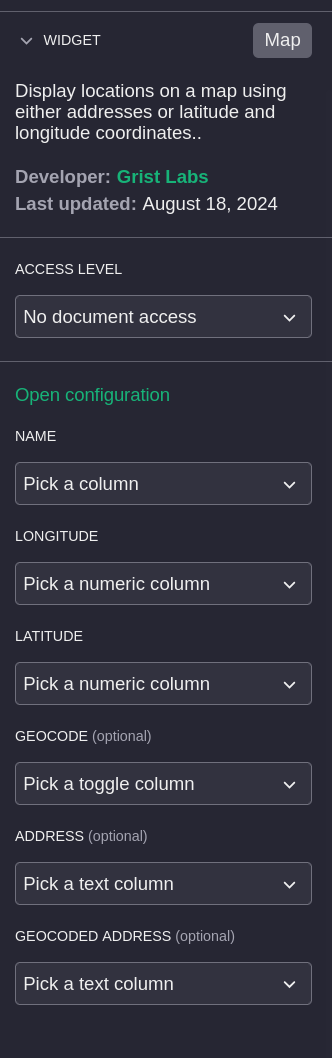
Could you do me a favor @hbernard and double check the mapping? In your custom widget, near the top right, there should be a “…” button. Click it and select “Widget options”. Then over on the right you should see a section like this:
Can you double check to see if GoogMap is mentioned anywhere here?
Yes - thank you! It looks like I did include it in the mappings.
Ok, for “Geocoded Address” just put a column that it is fine for the widget to use as a scratch pad to store something in. To avoid sending too many requests to the geocoding service, it keeps track of the last address sent to be geocoded. You can hide the column.
I’ve done as you suggested, and there is no longer any change to my Google Maps column. Yay!
I noticed that the map wasn’t behaving interactively however, so I ‘changed’ it (basically re-install), and it’s now working again. Thank you for your help!!