Massive load times (15-20s) caused by Summary Tables - Feature Request for On-Demand Reporting

Hi Everyone,

I recently ran into a major performance issue where my document was taking 15-20 seconds to open. After doing some troubleshooting, I discovered the root cause: once I removed all of my native Summary tables, the document started opening instantly.

For context, I only have about 400 records in the source table. The fact that a few standard Summary widgets can cause a 20-second lag at such a small scale makes me really concerned about the long-term scalability of using them.

Is there an architectural reason why Summary tables have to be generated and maintained as actual, fully calculated backend tables rather than just acting as lazy-loaded visual reports that only run on demand?

I understand that treating them as real tables allows them to be queried by other formulas, but for users who only want to use them for UI visualization, the performance cost is massive.

Has anyone else run into this wall, and are there any future plans to introduce lightweight, view-only reporting widgets that don’t drag down the database?

20 seconds is surprising for a few Summary tables on a tiny 400 record table. Any formulas accidentally running loops of loops or something like that?

In general, architecturally, updating on demand could be useful, when spreadsheet-like behavior isn’t desired. There are various design documents for features like this, waiting for hands to work on them.

A significant performance improvement for summaries also got landed recently (core) Reduce Python data-engine memory for lookups and summary tables · gristlabs/grist-core@1865374 · GitHub

All the formulas used are Sums or an equation like Cash Flow = Columns A - B - C. There isn’t anything to complicated about the formulas that I used because we’re trying to calculate Cash Flow or Net Income and summing up different rows based on year and month.

I can maybe record this and recreate the summary tables. but in my opinion, these should be done on demand, not loading when opening the document.

Wow. I don’t understand why it was so slow in that case. Not trying to argue with you about the on-demand idea, there’s definitely a place for that. I’ll try replicating.

Also, I’m not sure how formulas are implemented on the backend, but I assume that certain formulas, particularly formulas involving conditions across large numbers of records, can become expensive as the dataset grows.

I know Grist already has trigger formulas, but I wonder if linked record update actions could be used to address some of these performance concerns. I’m not sure whether this functionality already exists within the Automations suite, since I don’t currently have access to it.

For example, instead of continuously recalculating a formula across millions of records, it would be useful to have the ability to effectively turn certain formulas into event-driven or triggered calculations:

When this record changes → calculate/update this value.

This could be particularly useful for parent/child relationships.

For example:

Parent Record → Child Records → Parent Total

Rather than continuously recalculating the parent’s total whenever formulas are evaluated, a change to a child record could trigger an update to the parent record’s calculated total.

For example, with an Invoice record and Invoice Line Items, the Total Invoice Amount on the parent Invoice record would only be recalculated when an Invoice Line Item is added, modified, or deleted.

Ideally, there could even be an option on a trigger formula along the lines of:

“When this record changes, update the related parent record’s trigger formula.”

That would allow expensive calculations and rollups to happen only when the underlying data changes, rather than continuously.

I’m sure there are implementation details I’m missing so I’d be interested to hearing more if this is a viable solution or not.

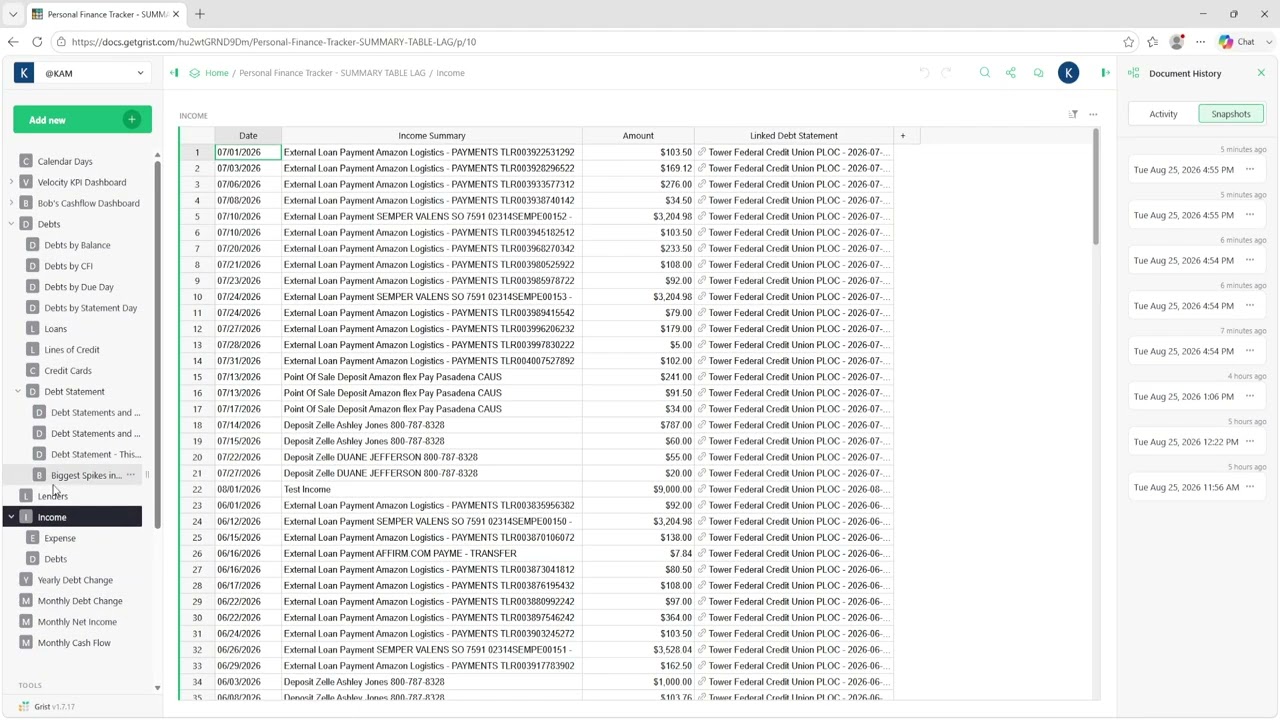
Here is a video recording of a document taking about 15 seconds to load. I don’t 100% attribute the load time to summary tables, as I think formulas in general being evaluated when the document opens are contributing to the delay.

This document is definitely under the 5,000-record limit, although I have recently added more expense records. That said, the load time was actually much worse when the document had fewer records but significantly more formulas. I ended up removing a lot of the formulas I was using and converting them to trigger formulas, which I think improved the load time.

So in my experience, reducing the number of formulas and summary tables has definitely made the document load faster.