This is my first time ever diving into a GitHub repository and modifying an open-source project, so I wanted to share a concept I put together for Grist!
For logs, transaction feeds, and quick data entry, I always wanted new entries to appear at the very top instead of having to scroll down to the bottom of the table.
Here is what I got working in this demo:
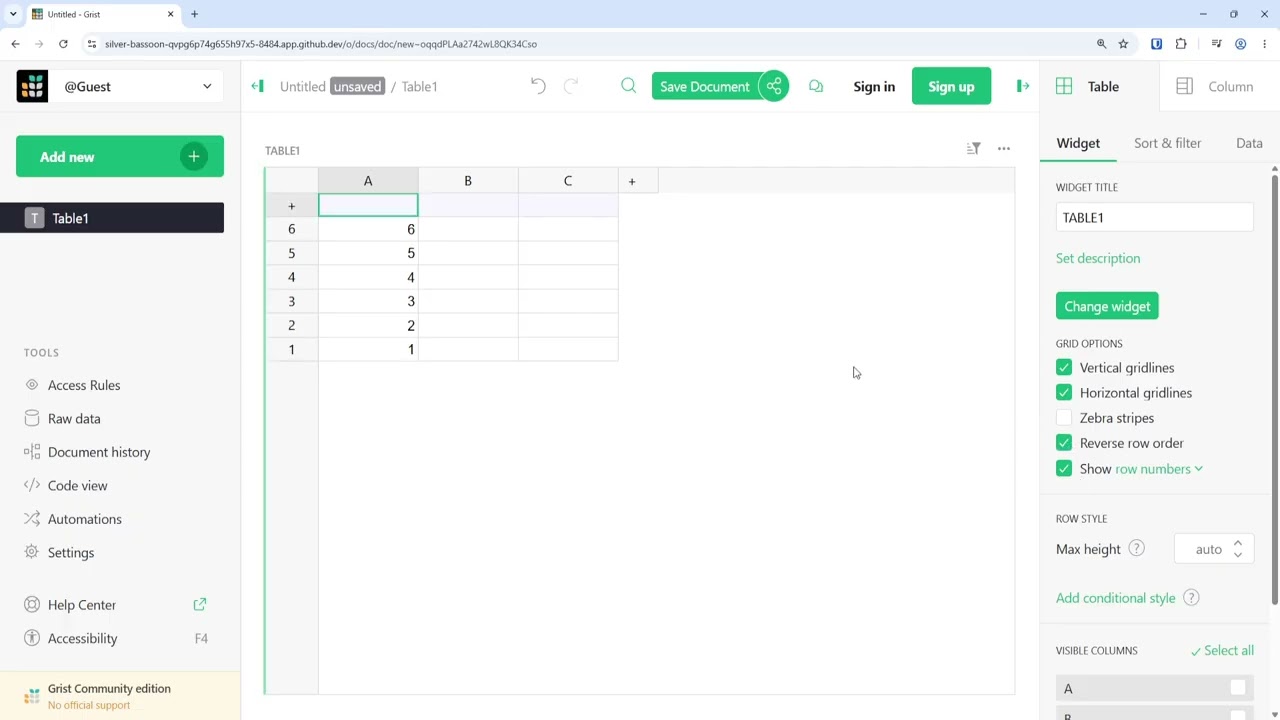
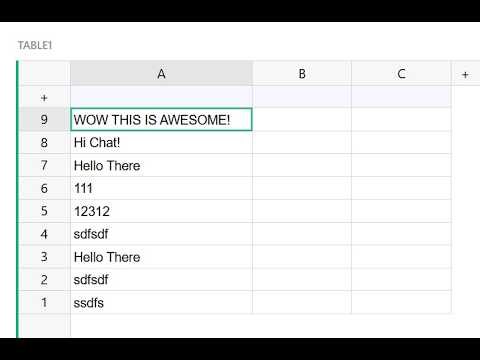
The empty “Add Record” (+) row is pinned to the very top.
When you add a new record, it stays right below the + row.
The row numbers count down in reverse order down to 1, with the newest items on top.
This is my Youtube recording of the change.
I am really excited to get this running on my own setup. I would love to hear what everyone thinks of this workflow, and if having a setting to toggle between “Add row at top” vs. “Add row at bottom” is something other people would find useful!
Also, is this what’s called a fork? Pretty sure this is my first time creating one, so forgive me if I’m using the term wrong.
thank you for investing the time in this feature. It´s one of my most hoped for “Quality of Life” adjustments. Simple, but very effective for certain workflows.
It should be optional since I can image that some view configurations would benefit from having it at the bottom.
I really hope it makes it into the main build.
Yes absolutely, i made it an optional feature based on the widget and submitted a pull request on Github. This Youtube video shows the latest version where it is now optional.
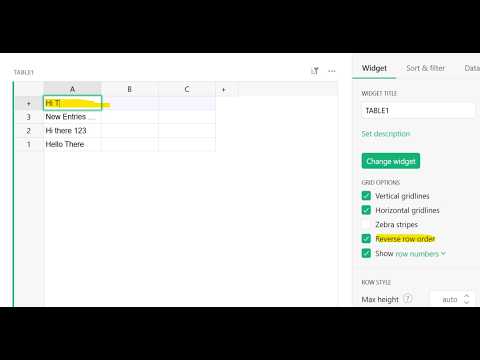
 Latest change in Youtube video below.