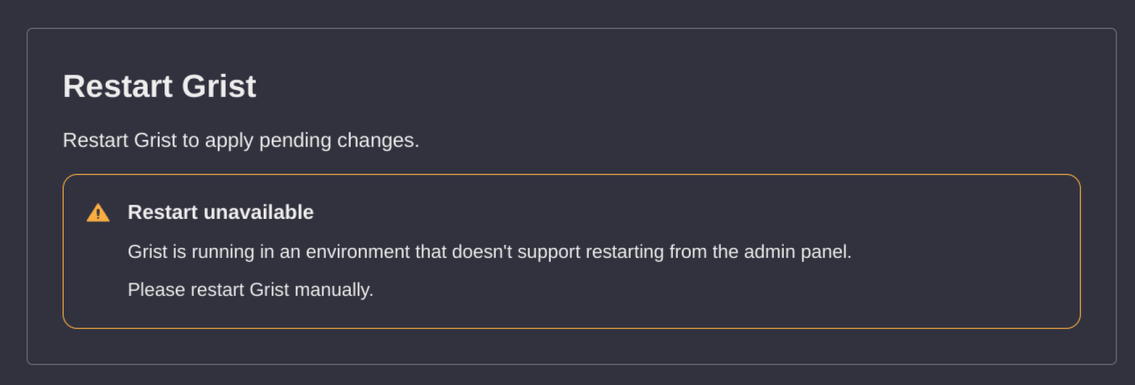
I’ve just installed the Flatpak version of Grist Desktop on my Nobara Linux system. I went into the admin panel to change the auth to ‘Login with getgrist.com’. I pasted in the key and it requires a reboot, however it says that this environment doesn’t support restart from admin panel.
This may be a stupid question but I cannot find anywhere to restart Grist. I’ve closed the window, I’ve quit the application. I’ve looked all over and tried everything shortly of reinstalling the app…
Hey @Dan_Linington . It’s not currently possible to use “Sign in with Get Grist” on Grist Desktop - it’s misleading that the admin panel allows you to do that. We’re looking at what the right fix is to make that clearer.
Grist Desktop overrides all other authentication systems (Sign in with Get Grist, OIDC, etc) because it’s intended for local, offline, desktop use (e.g. on a laptop on a train).
If you want to have a Grist instance that supports authentication (e.g. self-hosting an instance on the web for yourself / a workspace, or family / friends), I suggest using the Grist docker image. There’s instructions on self-hosting it here.
If you’re just wanting to use on your local machine (e.g. as an Excel replacement), then there’s no need to set up auth - you can just use Grist Desktop as-is.