Hello everyone 
A Grist table with dates, a status and a person is already a plan. Grist’s own Calendar widget puts those rows on a calendar: a double click adds an event, a drag moves it or changes its end, and the table follows. For a team that plans by the day, that is often enough. But I kept meeting plans that need more: tasks that wait for each other, people with only so many hours in a week, and a sponsor who asks what is late. So I built Plan Studio, a free, open-source (MIT) custom widget that draws the table you already have as a project plan.
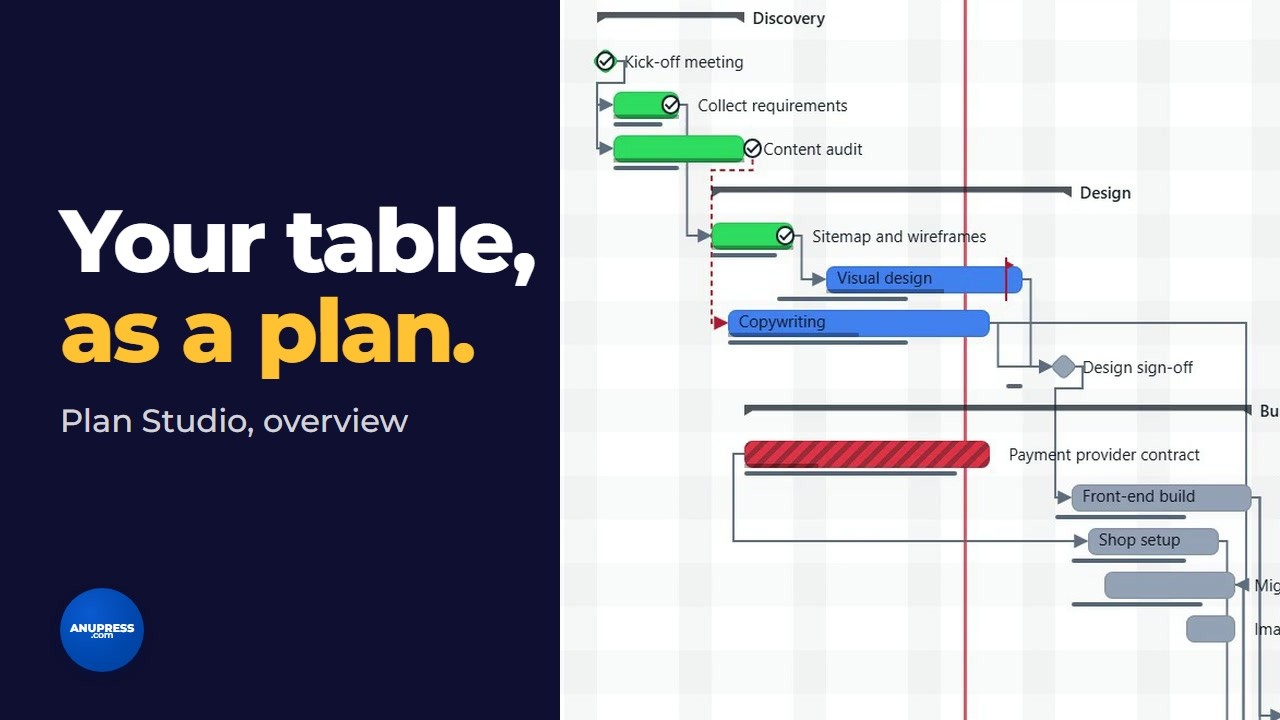
Overview, 3 minutes (the sample data is made up):
Live demo (no install, no Grist needed):
Use it in Grist → add a Custom widget, paste this URL, set Access to Full document access:
https://anupress.github.io/grist-plan-studio/
What it does
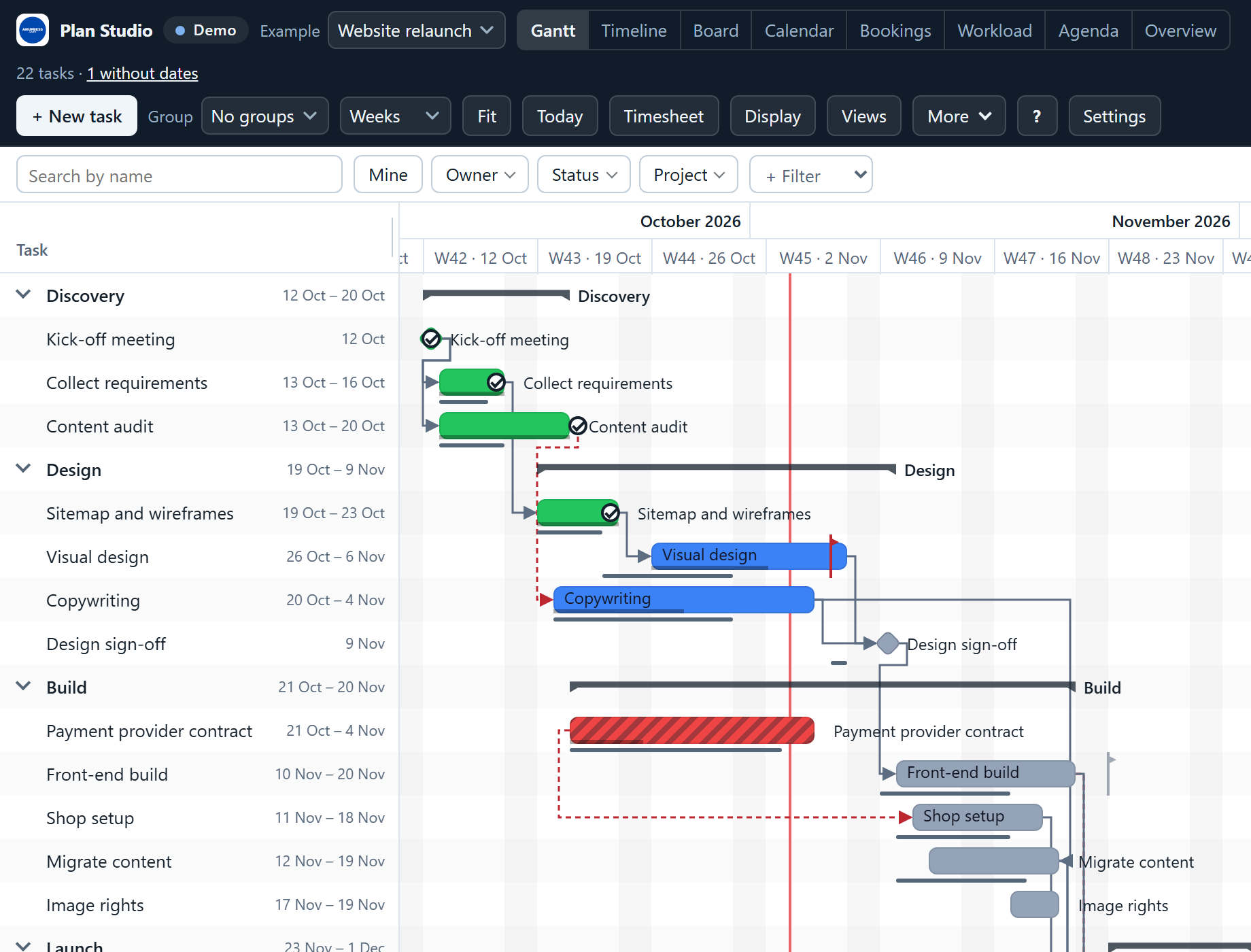
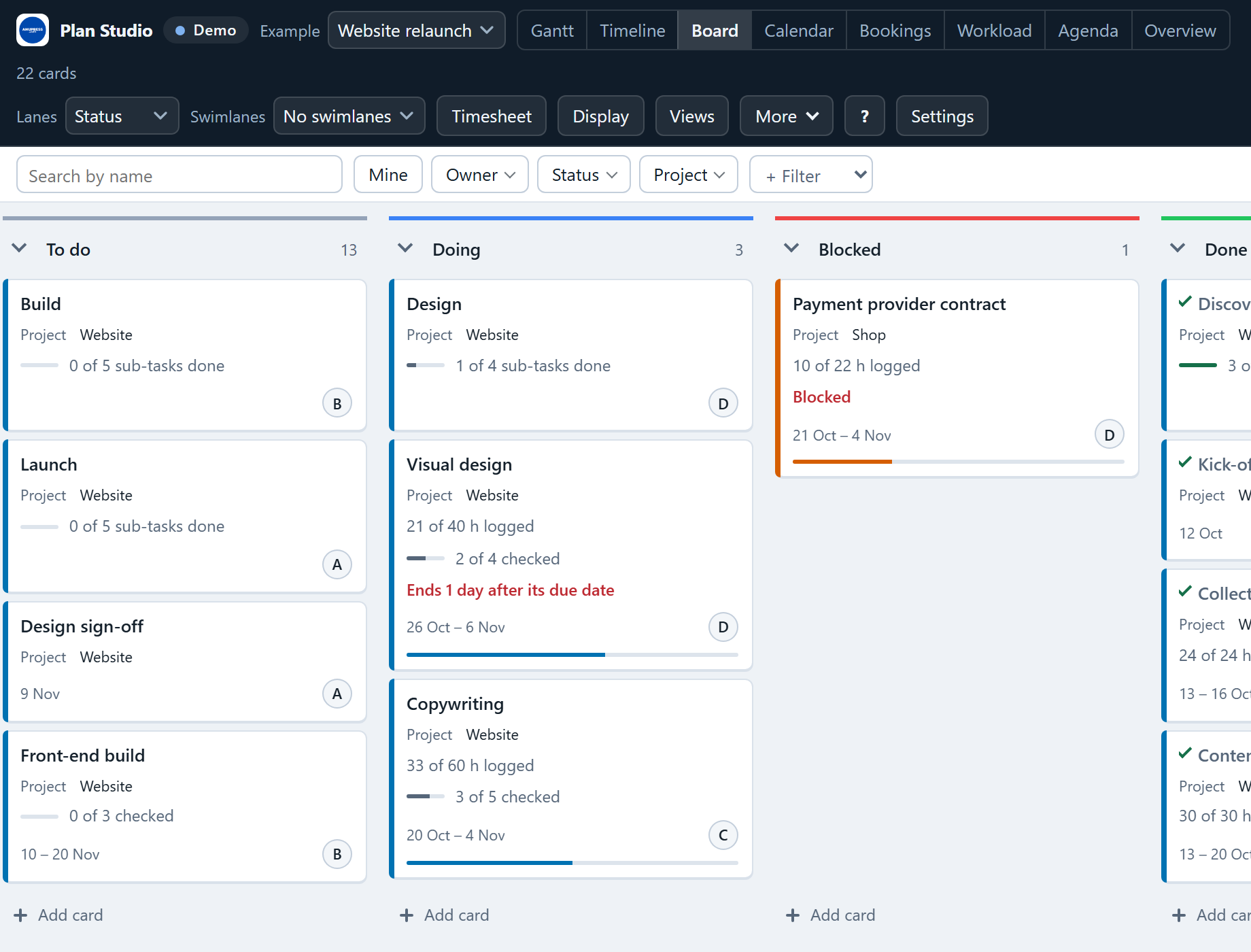
- Eight views of one table. A Gantt chart, a timeline (a band per person), a board (a lane per status), a calendar, a booking grid, a workload, an agenda for your phone and an overview with the numbers. A change in any of them is written to the same rows.
- Your columns, not ours. It works out which column is the name, the start, the end, the status and the person, by their names in English, German or French. Grist’s Project Management, Lab Project Management, Rental Management and Content Calendar templates need no setup, and an empty table offers three starters.
- Links and the critical path. Drag from the end of a bar onto the task that waits. A link can be finish to start, start to start, finish to finish or start to finish, with days between. Moving a task asks before it moves the tasks that wait, Close the gaps pulls tasks forward, and the critical path shows which tasks set the end date.
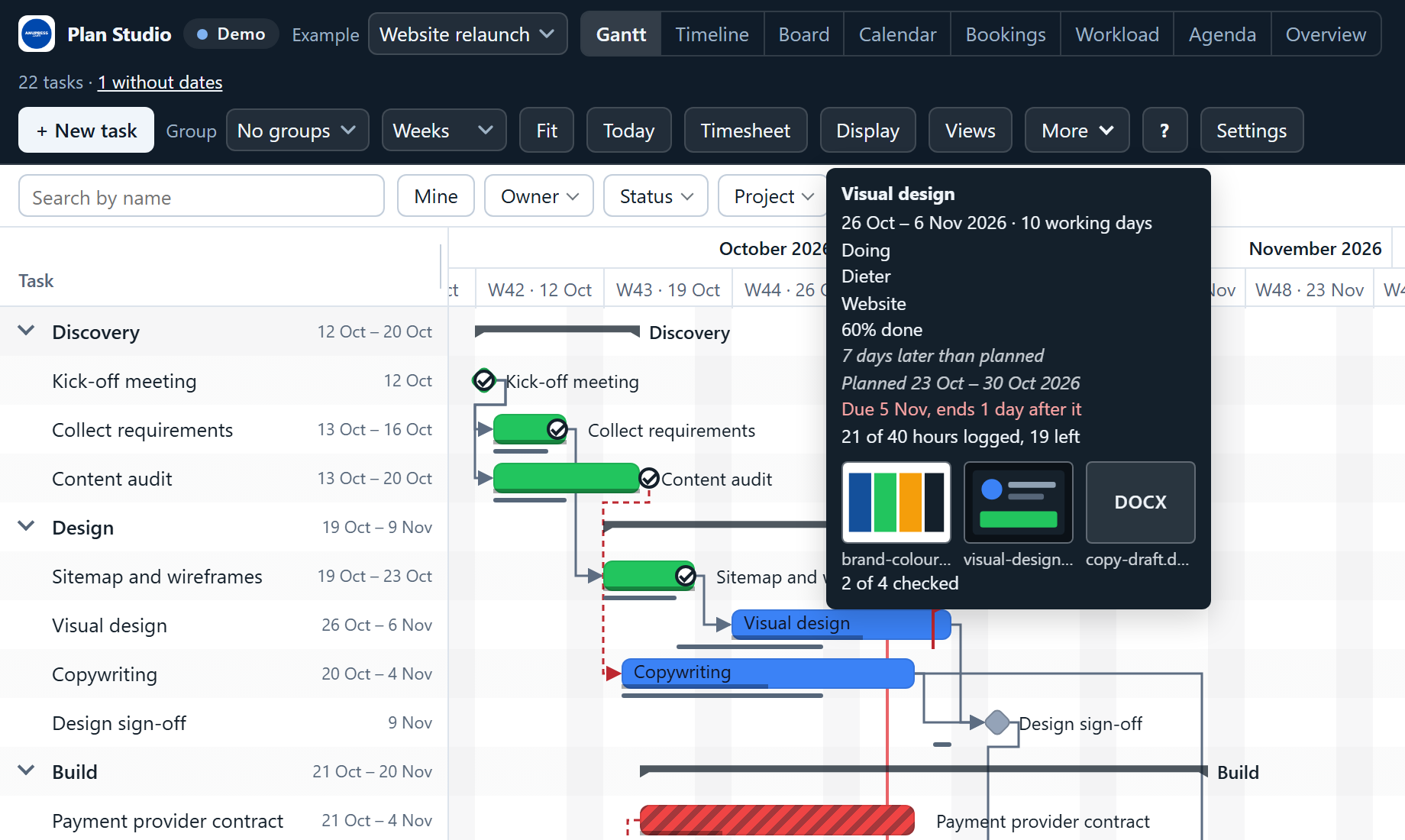
- The plan against what happened. Set baseline keeps today’s dates as the plan; later a thin line under a bar shows it, and the tooltip says “4 days later than planned”.
- A task’s files on hover. If the table has an Attachments column, pointing at a bar shows the task’s first three files: photos and drawings as small pictures, other files by their type. The edit window lists up to twelve.
- People and time. The workload shows who has more work than hours, and Level moves tasks later inside their slack. Timers and a weekly timesheet log hours in a table of their own.
- Also: groups in two levels, search and filter chips, several tasks at once, repeating copies, a pasted list of tasks with sub-tasks, saved views, printing to PDF, .ics calendar files, and English, German and French.
Privacy and access
Full document access, because it reads more than its own table (the people, a holidays table, booking periods), reads column types so it never writes into a formula column, and writes your changes back. Every change is one Grist action, so one Undo takes it back. There is no Anupress server, and the widget makes no network requests of its own. I would still try it on a copy first.
One thing worth knowing: Settings and saved views are the widget’s options, and Grist keeps them once you press its own green Save at the top right of the widget. A reload before that loses them.
What it does not do
- A task needs a date to appear in the Gantt chart. The toolbar says how many have none.
- Files are read only: you add them in Grist, or with File Studio.
- Level never moves the end of the plan, so an overload that needs more time stays, and it says how many days are still over.
- Grist does not tell a widget who is signed in, so Mine and the timer ask once per browser.
- I test in Chrome. Firefox and Safari are untested, and the German and French wording has not been read by a native speaker yet.
Guide and repo
Every view with a screenshot: the Plan Studio guide on anupress.com
Source: github.com/anupress/grist-plan-studio (MIT)
If something does not work on your document, reply here with what you see and your Grist version, and I will look at it.
Thanks for taking a look. Happy to answer questions or take PRs.
— Anupress Team