Hi Everybody,
I’ve been a big fan of the Vibe View widget, but I noticed that when I opened one of my documents, it was taking 15-20 seconds to load. I initially suspected that the Vibe View widget was contributing to the problem because it was pointed directly at a table with about 400 records, which, in my opinion, isn’t a particularly large table.
I noticed that following the standard instructions and pointing a Vibe View widget directly at a larger data table can result in noticeable UI lag.
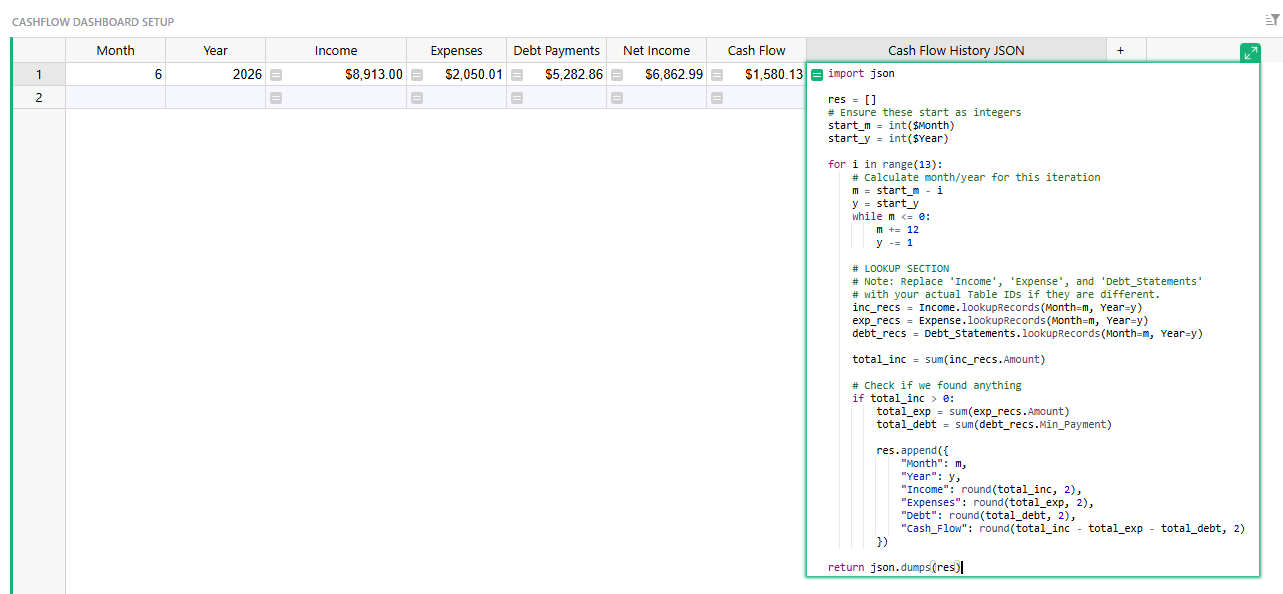
As an alternative, I experimented with creating a separate staging table containing only one record to support the dashboard.
Instead of pointing Vibe View directly at my larger data table, the one-record staging table uses formulas to pull and assemble the information needed by the dashboard. There are no reference fields in this staging table, only formulas.
In my testing, this made a huge difference in performance. The document loads much faster, and it also eliminated the “too many fetched reference links” issue I was running into.
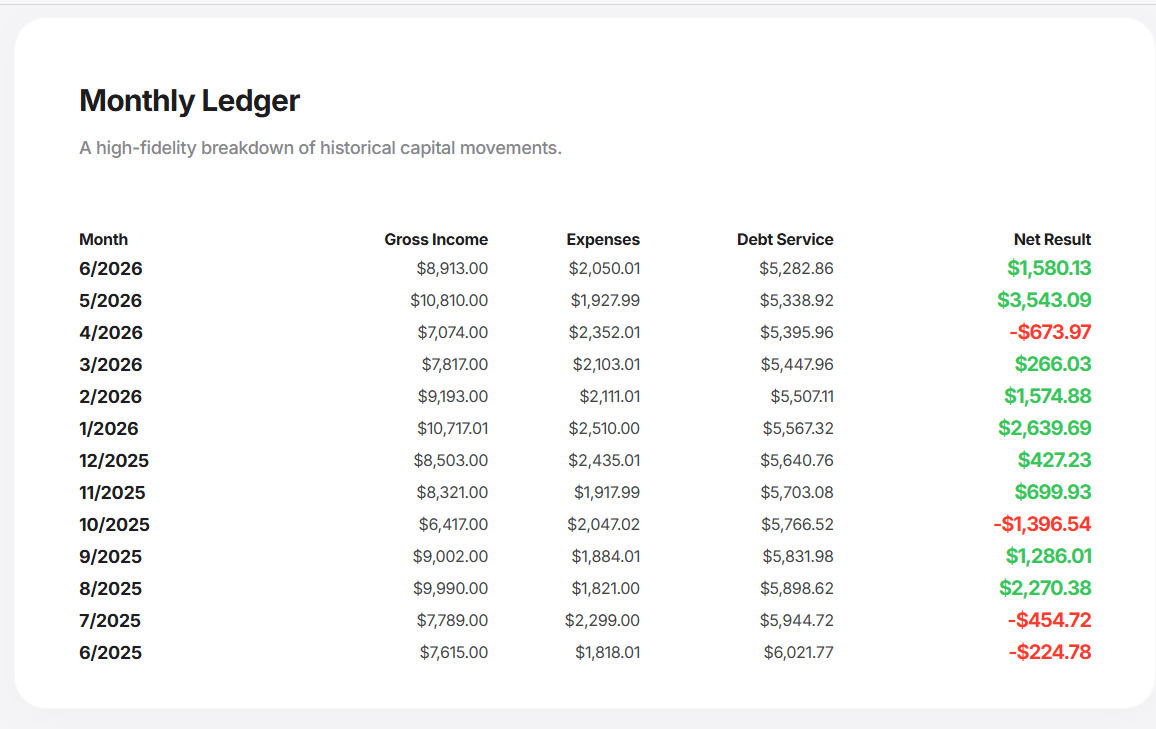
You can still produce tables of related records using this approach.
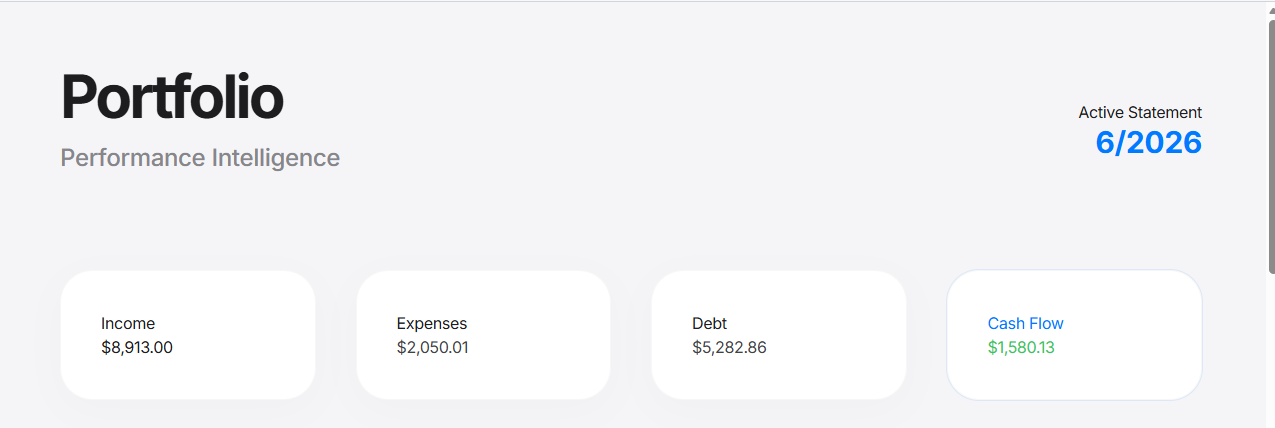
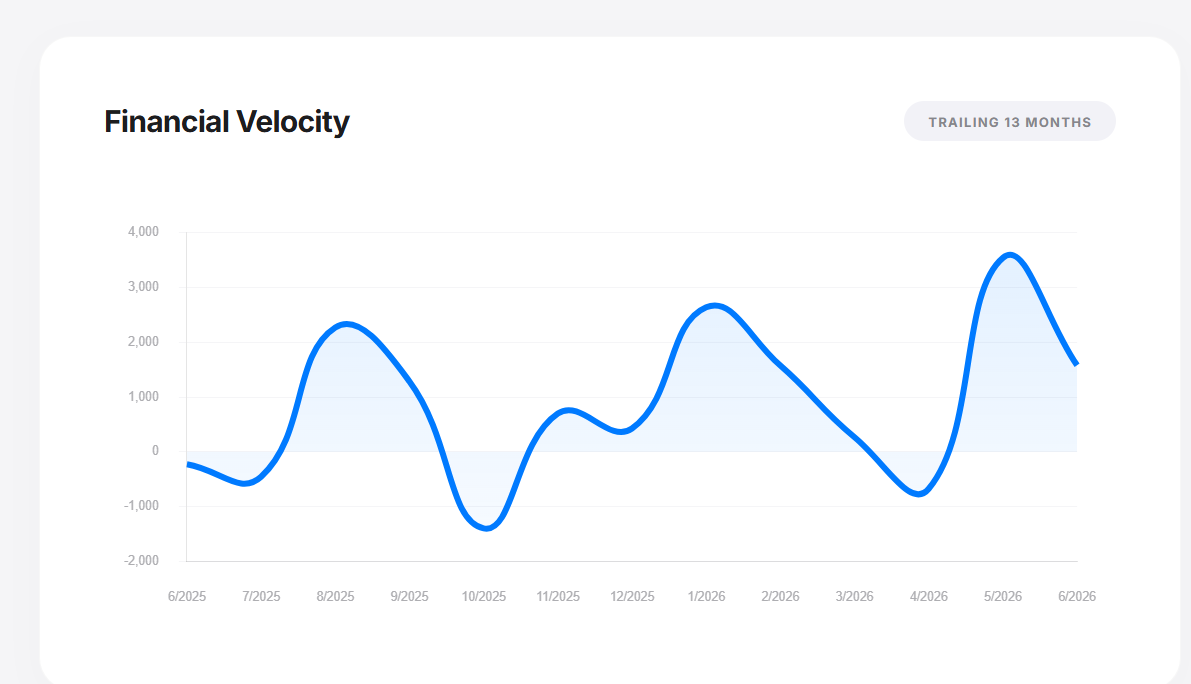
For example, in my dashboard I have rows representing different dates, with columns for Income, Expenses, and Debt Payments. Those three pieces of information come from three separate tables. I created a field in the staging table that uses a formula to generate a JSON representation of the related records, which Vibe View can then use to display the data.
So the basic structure is:
Underlying tables → formulas/aggregation → 1-record staging table → Vibe View
Rather than pointing Vibe View directly at the larger underlying table, you’re giving it a purpose-built data source specifically for the dashboard.
If you’re experiencing slow document load times with Vibe View, this might be worth experimenting with. You can also ask AI to help generate the JSON formula for your particular use case.