I was wondering whether it would be useful and possible to alternate between widgets using a navigation menu. I constantly find myself needing to use many widgets on a page, which can result in a lot of information being displayed at once. At the same time, I don’t want users to have to navigate between a lot of different pages. I’m not sure whether this is just a personal problem with the way I’m building my pages, or whether this could be useful for other people as well.
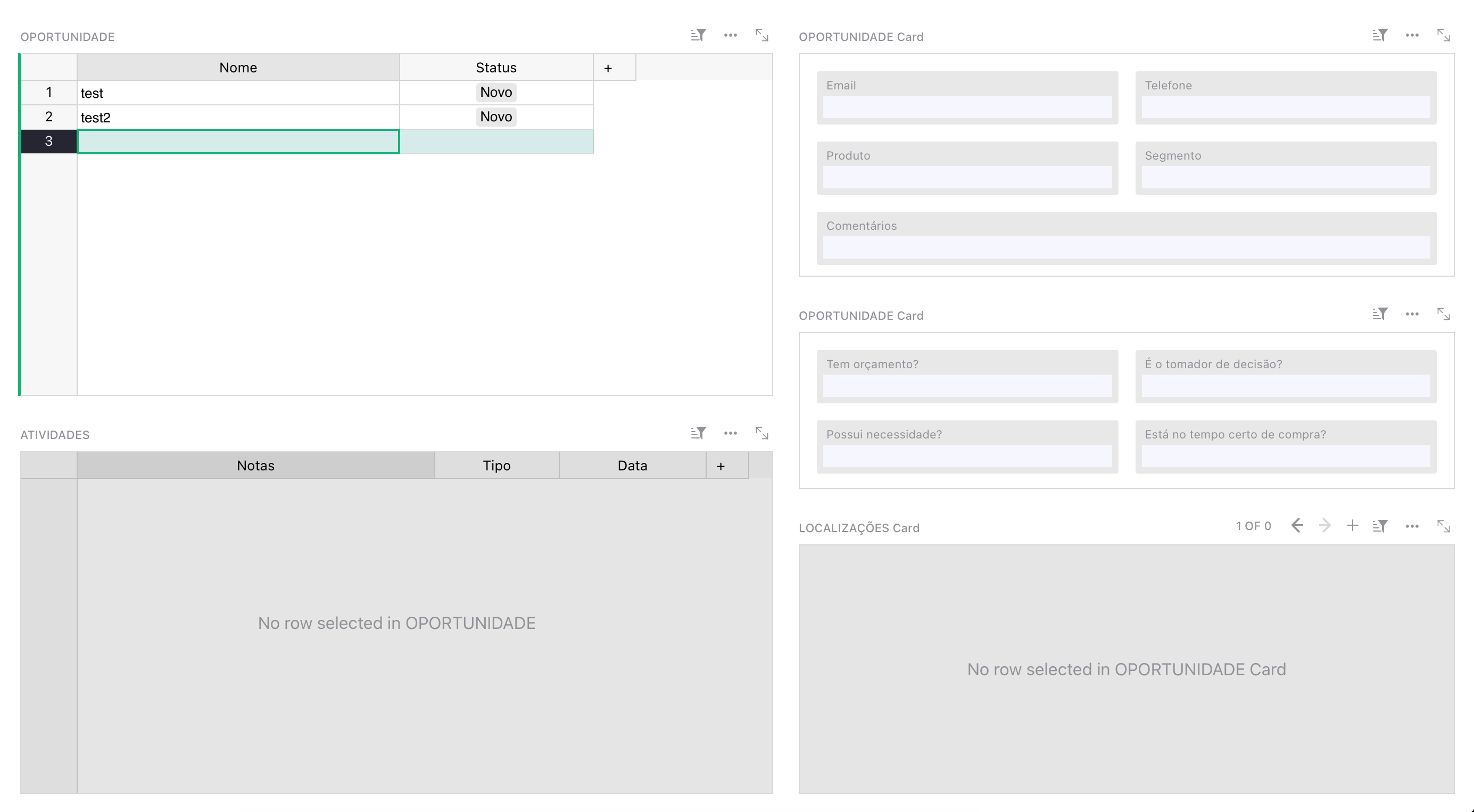
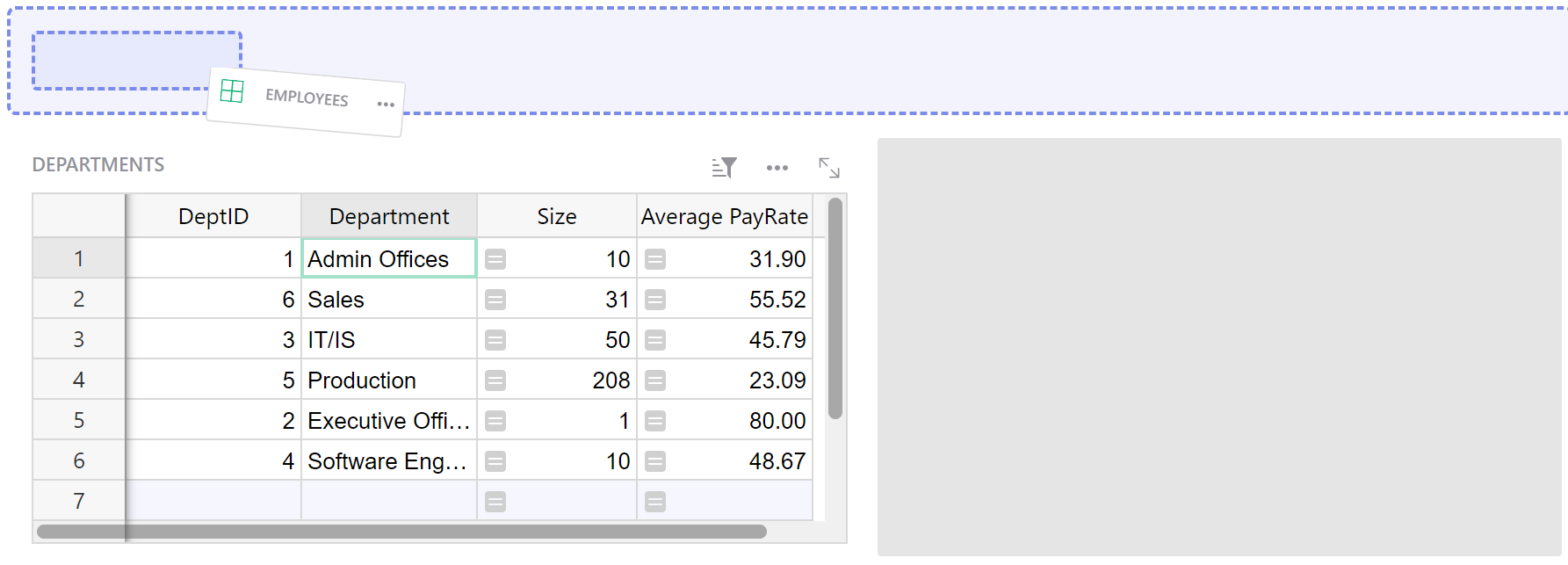
For example, on this page, I have three cards on the right side that could be grouped using a tabbed navigation menu, like this:
When clicking on each tab, the cards would switch accordingly.
Hi @Kauai_Tavora ,
Could your need be answered by clicking the three dots next to every card and selecting “Reduce view” or “Collapse view” (not sure about the name)? This would bring the cards to the top of the page and when you select a row in your left table then click on one of the cards, it would make it appear as a popup. Do you see how to do it? If not, I can provide a sample test document to show you what I’m describing.
Edit: it can also be found in Custom layouts - Grist Help Center .
Hey, @Anthony_R. Thanks for answering.
Not really. Collapsing the widget does really help reduce the amount of information displayed at once, but I find it more useful when you have tables that are not opened very often, or information that doesn’t need to be displayed immediately but you still want to have available to the user.
That’s exactly because collapsing groups all the widgets together at the top, making it harder to organize the page properly and separate the widgets by context. In my example, all the cards on the right are extremely related to each other and contain contact information for the selected row in the top-left table, but the widget on the bottom left doesn’t really have a connection with those cards, even though it is linked to the same table row. That’s a great example of how tabs could be useful to separate things by context while still keeping everything on the same page
But I don’t think it’s limited to that, I can also see use cases where someone might want to group unrelated widgets simply to keep the page better organized and avoid the popup behavior of collapsed widgets.