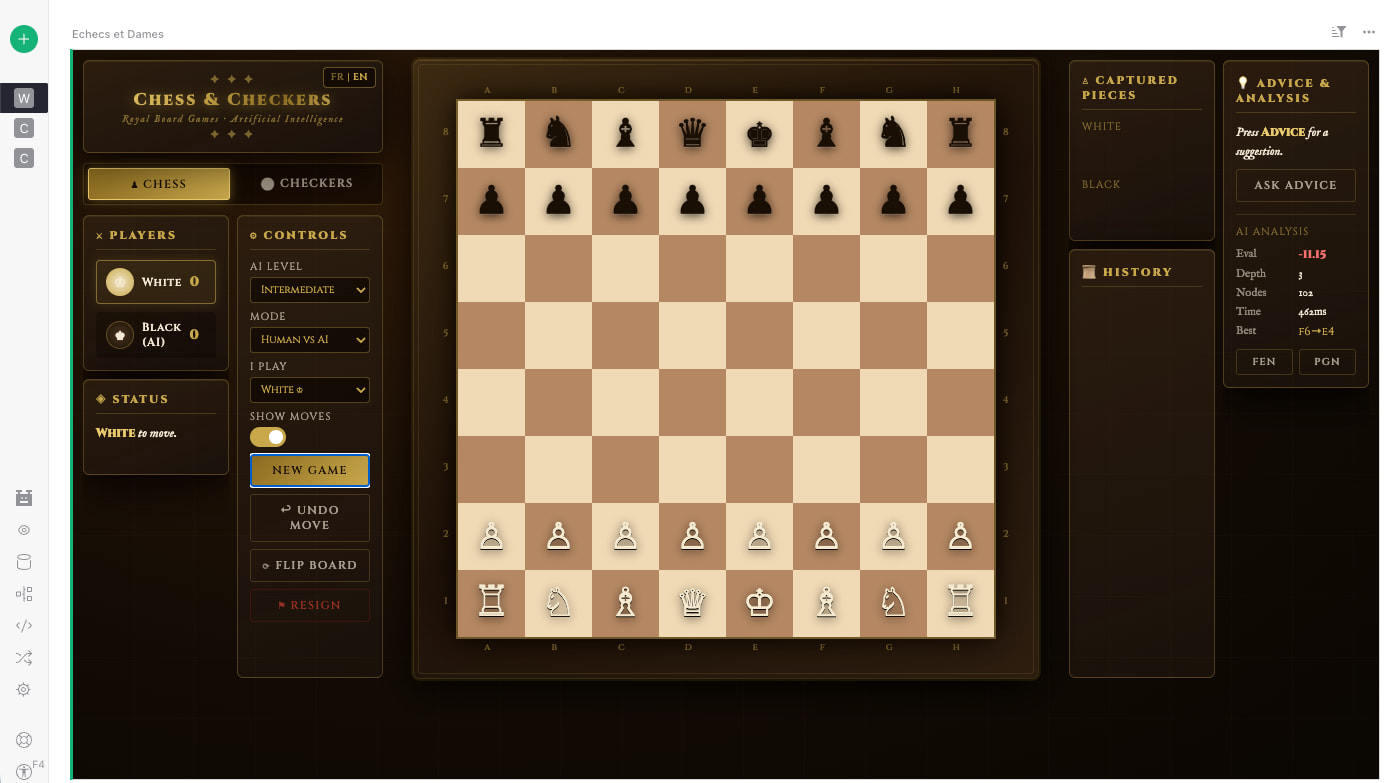
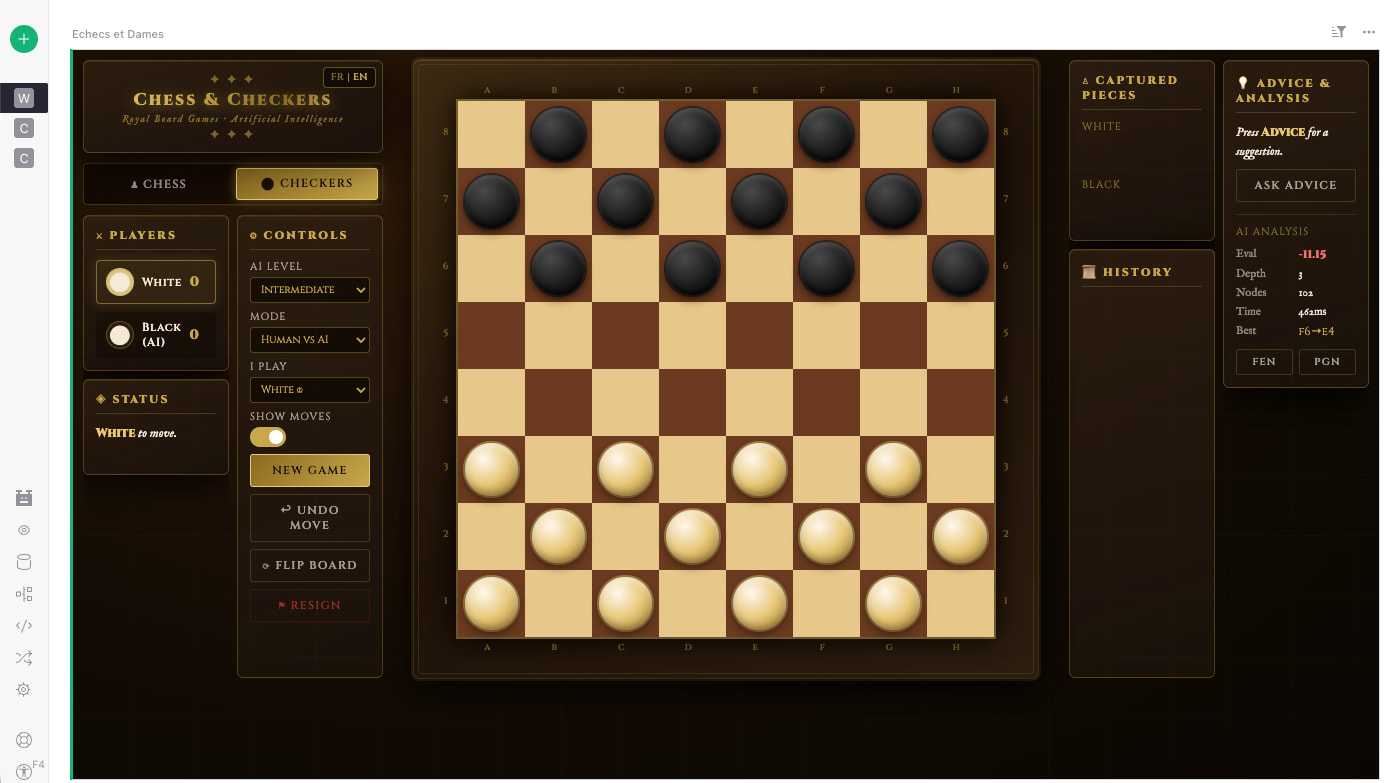
 What if Grist could also help you unwind? For chess and checkers fans, I built a Chess & Checkers widget you can play right inside a document, with a local AI and it’s open source!
Two hosting options available: Vercel for the always-up-to-date version, or GitHub Pages if you prefer a self-hosted version from your own fork.
Widget URL: https://grist-chess-widget.vercel.app or https://isaytoo.github.io/grist-chess-widget/ Source code: https://github.com/isaytoo/grist-chess-widget
Demo: Widget Games - Grist
What it does
-
Two games: Chess and Checkers, switch with a single click
-
A fully local AI: no external API, no server:
-
Minimax with alpha-beta pruning and iterative deepening
-
Transposition table (Zobrist hashing)
-
Quiescence search, killer moves, MVV-LVA move ordering
-
-
An opening book covering the great classics: Ruy López, Italian, Sicilian, French, Caro-Kann, Queen’s Gambit, Slav, Nimzo- and King’s Indian Defenses, and more, with their main variations.
-
3 play modes: Human vs AI · Human vs Human · AI vs AI
-
Playing Black: the board flips automatically
-
Drag & drop: works on both desktop and touch
-
Legal move display: small dots and rings to find your way (can be turned off)
-
Analysis panel: score, depth, evaluated nodes, best move, thinking time
-
FEN & PGN export: The chess widget includes two export buttons in the Advice & Analysis panel:
-
 FEN: Copies the current position in Forsyth-Edwards Notation. It’s a complete snapshot of the board (piece positions, side to move, available castling, en passant). Great for resuming a game in another program or sharing a specific position to analyze.
 -
PGN: Copies the full game history in Portable Game Notation (the list of moves played, with date/player headers). Perfect for replaying, archiving, or having a whole game analyzed.
-
Usage: a single click copies the text to the clipboard, just paste it (Ctrl/Cmd+V) into any chess tool (Lichess, Chess.com, Stockfish…).
-
-
Undo a move: steps back (your move + the AI’s reply)
-
Grist persistence: 2 tables created automatically (
Chess_Games,Chess_Moves), every move is saved
Installation in 3 steps
-
Add a custom widget to your Grist document
-
Paste the URL: https://grist-chess-widget.vercel.app or https://isaytoo.github.io/grist-chess-widget/
-
Grant Full document access (for persistence)
The tables are created automatically on first launch, nothing to set up beforehand.
Feel free to reach out if you have any questions!