Hey fellow gristers!
I used the custom widget builder to load tiptap and create a WYSIWYG html editor for some email templates I have.
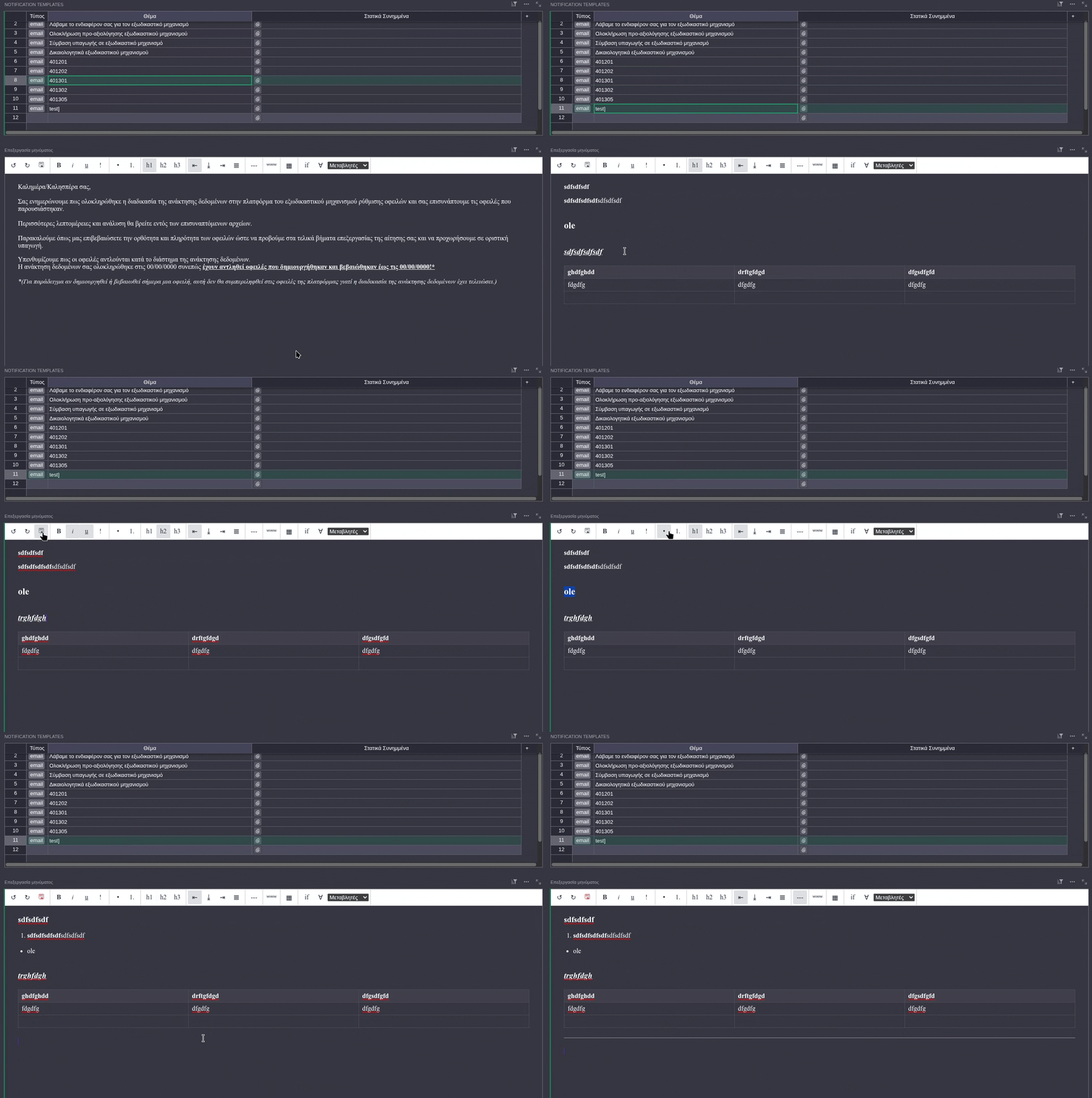
Features:
- Undo / Redo, also clears history on row change
- custom save via n8n (button turns red when there are changes to save, else it doesn’t do anything)
- Standard text formatting: bord/italic/underline/highlight
- Ordered & Unordered Lists
- Headings (h1/h2/h3)
- Text alignment (left/center/right/justify)
- Horizontal rule
- Light / Dark mode support
- Link
- Tables
- Custom handlebars templates I needed (if/each blocks, and a list of variables)
- Light / Dark mode support
- the toolbar buttons are reactive to the current selection
I could have added better icons, but I wanted it to be as light as possible, so these are crappy unicode characters. More tiptap extensions can be added as well, but that’s all I needed.
To be honest I am mostly posting here to ask if there’s a way to save data directly from the widget, because if n8n is not needed I can strip my 3 custom buttons and make it into a proper grist widget to share with you.
P.S. I tried with the grist.docApi.getAccessToken()method, but got a CORS error and gave up on that as I already have n8n set up.