I’m trying to recreate an existing workflow in Grist, and I’m running into some odd behavior that I don’t entirely understand.
I have some data piping into Grist, and it’s working correctly for the most part. The dates, though, are doing something odd. I have a column, $date_recorded, which I am storing as a Date.
If I try to filter the data, however, I see this:
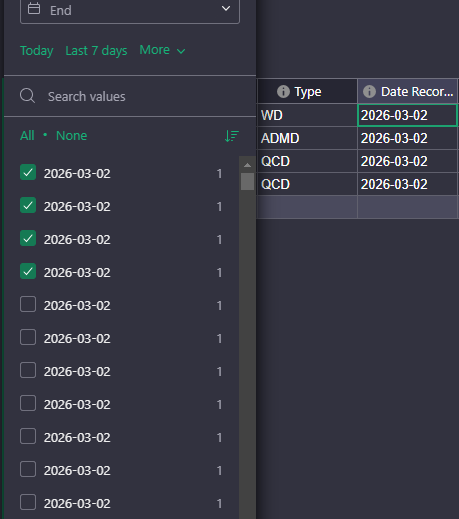
For what it’s worth, the source data has time values. I don’t care about the time, but is it possible that the times are being retained in the background in some way?
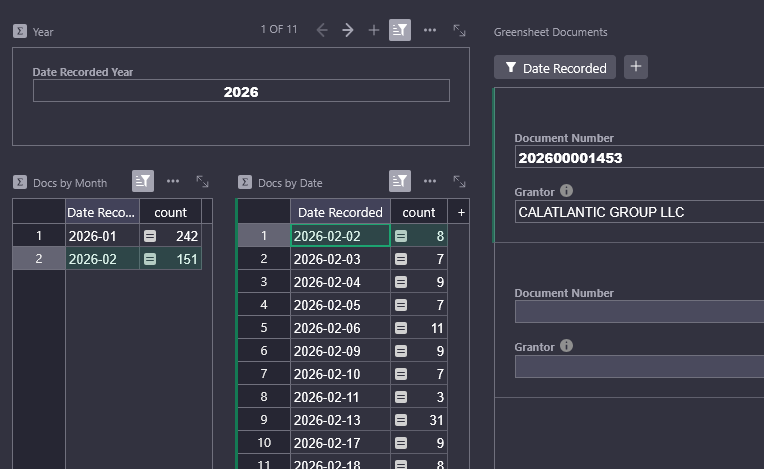
Because of whatever’s going on, I am unable to use aggregated day values to filter my data. Filtering by a single date uses an “equals” condition rather than a range, so it rarely matches. You can see below, the “Docs by Date” table says there should be 8 records, but selecting it filters the document card list to a single record.
A workaround is to use a “date helper” field that calculates the full date, then filter off of that and it all works fine. This time, I get all 8 records.
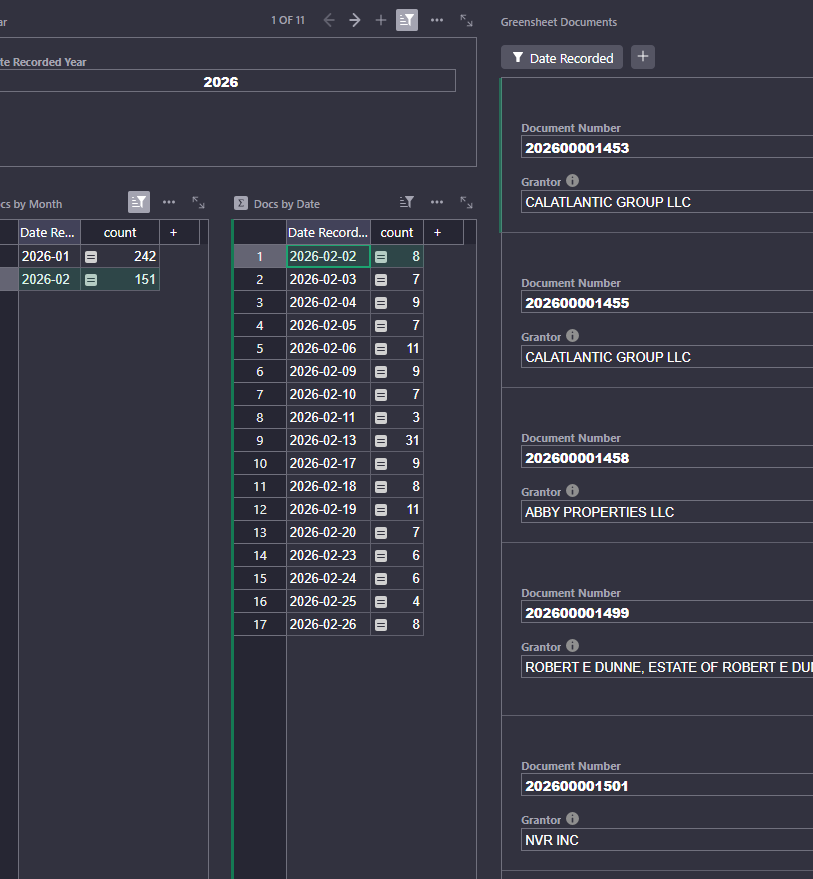
Still, it feels pretty silly to have a formula column that, on its face, has the same exact data as an existing column.
Any insights?